This is the whole build of the chrome notification bell, in the order it was written: the header of a made-up workspace app, Halcyon. The bell is not an icon; it is a polished chrome bell hanging out of a frosted glass header. Every notification strikes it, it swings like a real pendulum, its brass clapper lags behind and hits the bow, every hit sends a ring through the glass, and the red badge on its shoulder rolls up like an odometer. Each stage below is the page as it stood at that step. It shows a still, and Run it here starts the live page in its place. The code under each heading is only what that stage adds. The finished source is at the end, and on GitHub under the MIT licence.
There is no framework and no build step: one HTML page, one style sheet and seven small ES modules.
1 · The page, the panel and a bell that swings
Start with what a keyboard and a screen reader need. The bell is a real button that opens the notification panel and says so; the panel is a dialog with a real list.
<button class="bell" id="bell" type="button" aria-haspopup="dialog" aria-expanded="true" aria-controls="panel" aria-describedby="bellhint">
  <span class="sr" id="belllabel">Notifications, 0 unread</span>
</button>
The badge is a pill with an odometer inside: when the count changes, the old number rolls out and the new one rolls in from below (or from above when it counts down), and the pill pops.
<span class="badge" id="badge" aria-hidden="true"><span class="odo" id="odo"></span></span>.odo span { position: absolute; left: 0; right: 0; top: 0; transition: transform .34s cubic-bezier(.3,1.4,.5,1); }
.odo span.from-below { transform: translateY(105%); }
.odo span.from-above { transform: translateY(-105%); }
.odo span.to-above { transform: translateY(-105%); }
.odo span.to-below { transform: translateY(105%); }function setBadge(n) {
const prev = shown; shown = n;
badge.classList.toggle('zero', n === 0);
badge.classList.toggle('paused', st.paused);
if (n === prev && odo.firstChild) return;
if (String(n).length !== String(prev).length) badgeSz = null;
const old = odo.querySelector('span:not(.leaving)');
const s = document.createElement('span'); s.textContent = n > 99 ? '99+' : String(n);
if (!old || RM) { odo.textContent = ''; odo.appendChild(s); return; }
const up = n > prev;
s.className = up ? 'from-below' : 'from-above'; odo.appendChild(s);
old.classList.add('leaving');
requestAnimationFrame(() => { s.className = ''; old.className = 'leaving ' + (up ? 'to-above' : 'to-below'); });
setTimeout(() => old.remove(), 400);
if (up && !RM) { badge.animate([{ scale: '1' }, { scale: '1.22' }, { scale: '1' }], { duration: 420, easing: 'cubic-bezier(.3,1.6,.5,1)' }); }
}A notification is one function: it goes to the top of the list, slides in, strikes the bell and is announced.
function arrive(it, { silent = false } = {}) {
  st.items.unshift(it);
  renderList(it.id);
  list.scrollTop = 0;
  if (!st.paused && !silent) strike(4.1);
  announce(`New notification: ${it.say}. ${unread()} unread.`);
}
Now the bell. It is a damped pendulum about its loop: gravity pulls it back, a little damping and a touch of dry friction let it come to rest in about six seconds instead of trailing on for ever.
const al = -(G / LB) * Math.sin(s.th) - CB * s.w - DRY * Math.tanh(s.w / 0.06) + tq;
const w0 = s.w;
The clapper is a second pendulum hanging inside it. Its pivot moves with the bell, so it lags behind, and when the angle between them reaches the sound bow, it strikes: it bounces back with some restitution, a little momentum goes back into the bell, and the strike is reported with its strength.
const rel = s.ph - s.th;
if (Math.abs(rel) > LIM) {
  const sg = Math.sign(rel), vr = s.pw - s.w;
  s.ph = s.th + sg * LIM;
  if (vr * sg > 0) {
    const imp = Math.abs(vr);
    const nv = -E * vr;
    // a light clapper against a heavy bell: most of the exchange stays in the clapper
    s.w += (vr - nv) * 0.06;
    s.pw = s.w + nv;
    if (imp > 0.35) { s.strikes++; for (const f of listeners) f(Math.min(1, imp / 4.2), sg); }
  }
}
A notification tops the swing up to the energy of one strike, never past it, so ten notifications in a row do not wind the bell up into a spin, and it kicks the clapper so there is always one sure ring.
s.strike = (v, dir, kick = 1.15) => {
  const pot = 2 * (G / LB) * (1 - Math.cos(s.th)), E = s.w * s.w + pot;
  const d = dir || (Math.abs(s.w) > 0.25 ? Math.sign(s.w) : (s.side = -s.side));
  if (E < v * v) s.w = d * Math.sqrt(Math.max(0, v * v - pot));
  else s.w += d * 0.12 * v;
  // the clapper is left behind by the jolt, so it meets the sound bow on the trailing side: one sure strike
  if (!s.hold && kick) s.pw = s.w - d * kick * v;
};
It runs in fixed steps of 1/480 s whatever the display's refresh rate, so the bell swings the same on every screen.
s.advance = (dt) => {
  s.acc += Math.min(dt, 0.05);
  while (s.acc >= DT) { step(); s.acc -= DT; }
};
For now the bell is drawn as an SVG with the same proportions as the mesh it will become. Two rotations are all it needs: the bell about its loop, the clapper about its own pivot.
update(theta, rel) {
  swing.setAttribute('transform', `rotate(${(-theta * 180 / Math.PI).toFixed(3)})`);
  clap.setAttribute('transform', `rotate(${(-rel * 180 / Math.PI).toFixed(3)} 0 ${-GEO.clapPivot})`);
},
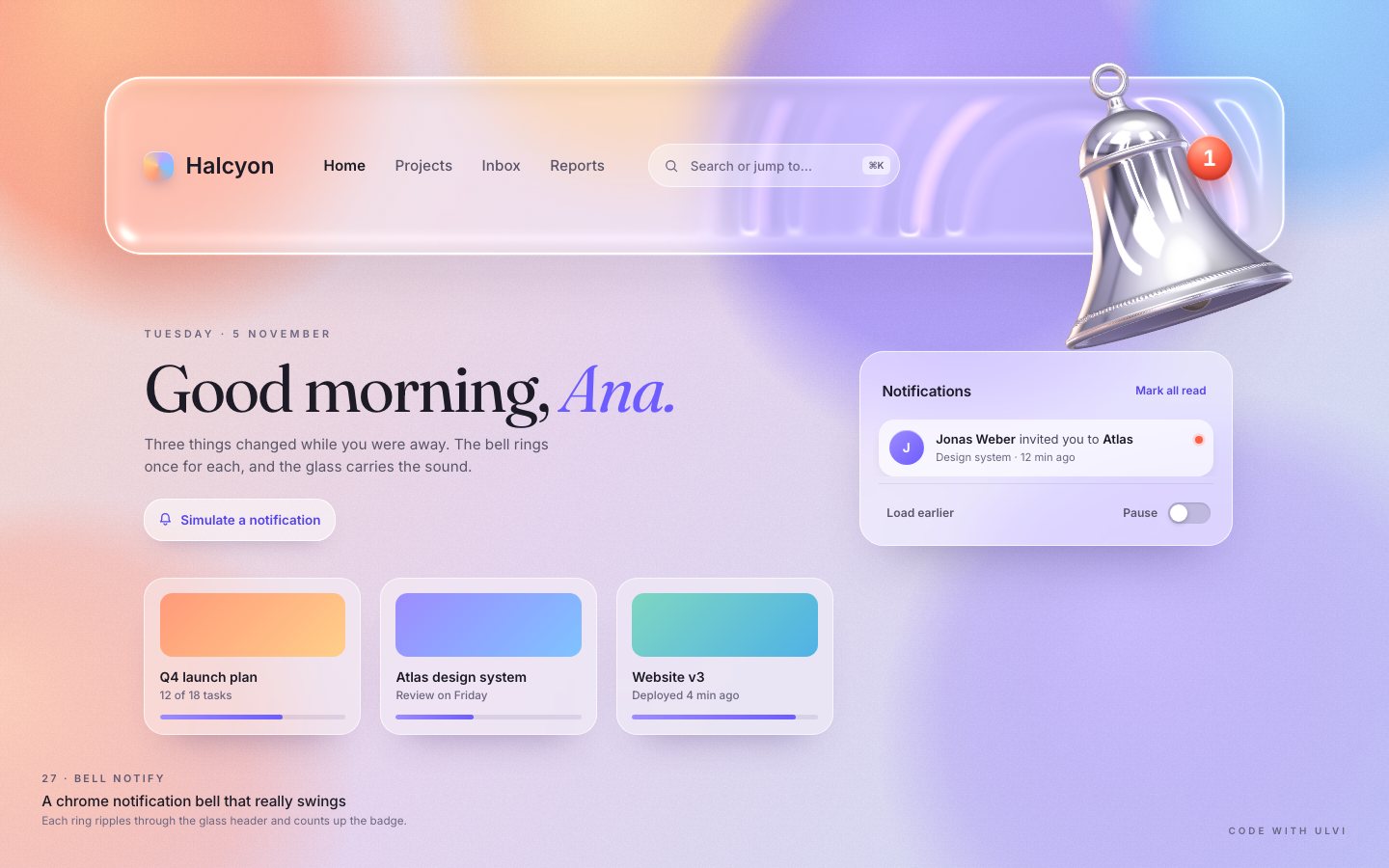
Every strike sends a ring through the frosted CSS header, from the bell's mouth.
bell.onStrike((amp, side) => {
  if (!L) return;
  // a ring through the frosted header, from the bell's mouth
  const p = project(rotation(bell.th, bell.psi), [0, GEO.lipY, 0], [L.piv[0] - L.hdrS[0], L.piv[1] - L.hdrS[1]], L.S);
  cssRing($('rings'), p[0], p[1], 3.2 * L.S, 0.4 + 0.6 * amp);
});
You can take the bell by hand. A drag turns into a target angle and a stiff spring pulls the bell to it; let go and it swings free, the clapper ringing as it goes. The arrow keys swing it too.
if (drag.moved && !RM) {
  const a = Math.atan2(x - L.piv[0], Math.max(8, y - L.piv[1]));
  bell.grab = { target: Math.max(-0.8, Math.min(0.8, drag.th0 + (a - drag.a0) * 1.6)) };
  wake();
}if (s.grab) tq = 90 * (s.grab.target - s.th) - 9 * s.w;
else if (s.leanOn) tq = 7 * (s.lean - s.th);bellBtn.addEventListener('keydown', (e) => {
if (e.key === 'ArrowLeft' || e.key === 'ArrowRight') { e.preventDefault(); strike(3.6, e.key === 'ArrowRight' ? 1 : -1); }
else if (e.key === 'ArrowDown' && st.open) { e.preventDefault(); const f = list.querySelector('.n'); if (f) f.focus(); }
});Mark all read counts the badge down step by step, so you see the number roll to zero before it leaves.
// the badge counts down step by step, then leaves
let n = before;
const tick = () => { n--; setBadge(n); if (n > 0) setTimeout(tick, RM ? 0 : 110); else syncCounts(); };
When the bell is at rest, the loop stops. Nothing runs on an idle page.
const rest = RM || bell.atRest();
if (rest && !RM) { const tgt = bell.leanOn && !bell.grab ? bell.lean : 0; bell.th = tgt; bell.w = 0; bell.ph = bell.hold ? tgt : 0; bell.pw = 0; bell.psi *= 0.9; if (Math.abs(bell.psi) < 1e-4) bell.psi = 0; }
const moving = !rest || Math.abs(bell.psi) > 0;
render();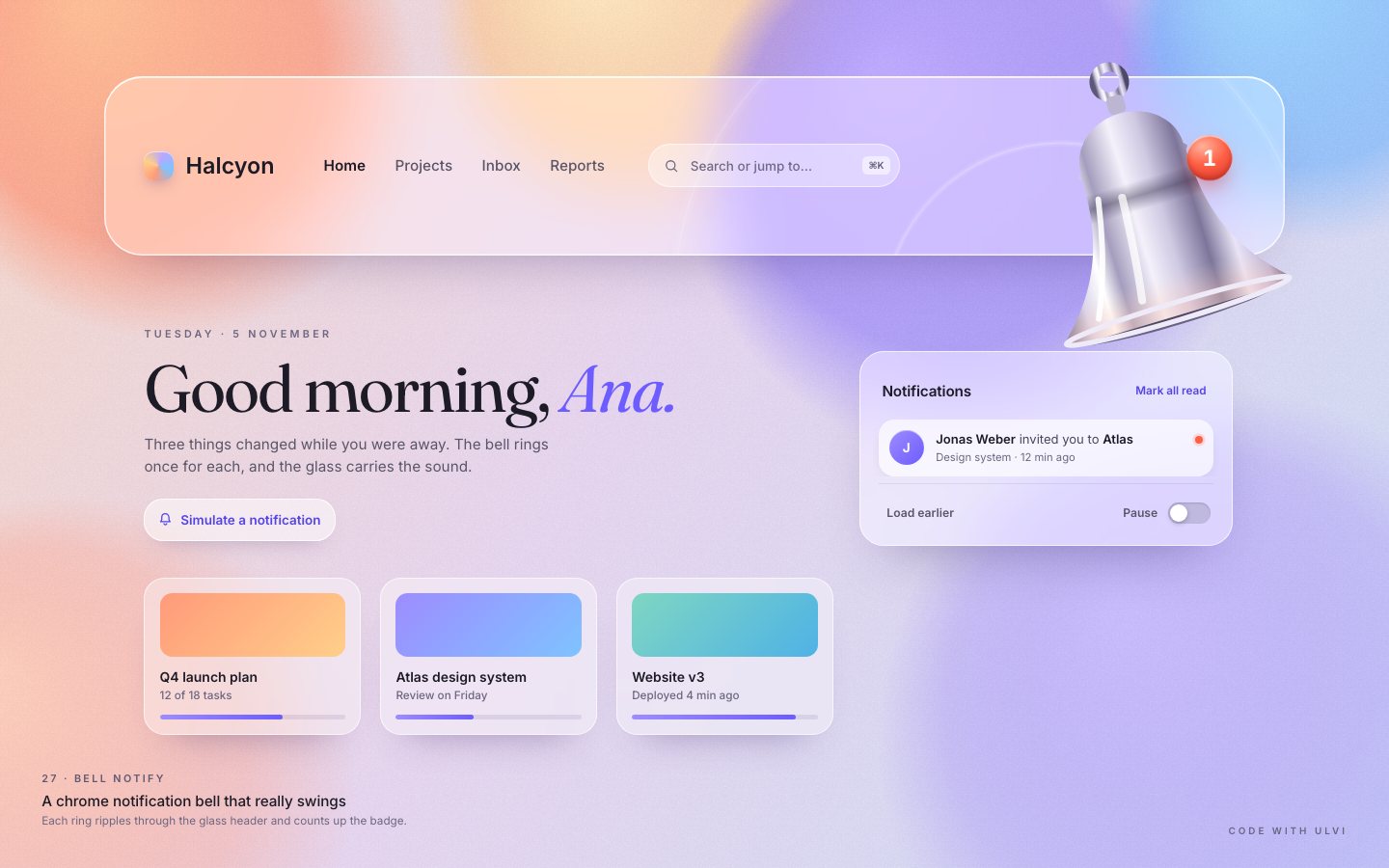
2 · The chrome
Two transparent canvases join the page, each only as big as what it shows: one for the glass header and its shadow, one for the box the bell can swing through.
<canvas id="fx" aria-hidden="true"></canvas>// glass canvas: the header + its shadow + the bell's shadow on the page; bell canvas: the box the bell swings through
const S = F.S, [px, py] = F.piv, h = F.hdr;
const vx0 = -sr.left / k, vx1 = (W - sr.left) / k;
const box = (x0, y0, x1, y1) => { x0 = Math.max(x0, vx0); x1 = Math.min(x1, vx1); y0 = Math.max(y0, -10); return [x0 * k, y0 * k, (x1 - x0) * k, (y1 - y0) * k]; };
const cg = box(h[0] - 90, h[1] - 40, h[0] + h[2] + 90, Math.max(h[1] + h[3] + 110, py + 1.25 * S));
const cb = box(px - 1.04 * S, py - 0.14 * S, px + 1.04 * S, py + 1.16 * S);The bell is a lathe: a 2D profile turned round its axis. The crown is a dome, the waist and the sound bow follow one flare curve, and there is a rolled lip with a beaded rope ring above it.
function flare(t) {
  const r = 0.207 + 0.022 * t + 0.214 * Math.pow(t, 2.65);
  return r;
}// crown dome
const DC = -0.305, DR = 0.205, DH = 0.178;
for (let i = 0; i <= 26; i++) { const a = 0.27 + (Math.PI / 2 - 0.27) * i / 26; add(DR * Math.sin(a), DC + DH * Math.cos(a), 0); }// normals from the profile tangent: n = (-dy, dr) is outward on the way down and into the cavity on the way upChrome is only as good as what it reflects. The reflections come from a small studio described in a shader: the page's pastel colours all round the horizon, a dark violet belt on the far wall that becomes the bell's dark band, soft boxes and black flags for the streaks.
// the page all round the horizon: peach on the left, warm cream in front, lilac and sky on the right
float side = d.x;
vec3 page = mix(vec3(1.0, 0.62, 0.48), vec3(1.0, 0.82, 0.66), smoothstep(-0.9, 0.0, side));
page = mix(page, vec3(0.70, 0.60, 1.0), smoothstep(-0.1, 0.65, side));
page = mix(page, vec3(0.55, 0.76, 1.0), smoothstep(0.55, 1.0, side) * smoothstep(-0.2, 0.3, d.y + 0.15));
page = mix(page, vec3(0.82, 0.72, 0.95), smoothstep(0.2, -0.9, d.z) * 0.6);// the far wall line: a deep violet band just above the horizon (chrome's dark belt) and a thinner one higher up
c = mix(c, vec3(0.06, 0.05, 0.11), 0.95 * exp(-pow((el - 0.14) / 0.08, 2.0)));
c = mix(c, vec3(0.16, 0.14, 0.25), 0.6 * exp(-pow((el - 0.52) / 0.04, 2.0)));That studio is rendered once into a 512² cube map with mipmaps, so the reflections never shimmer and cost one texture read per pixel.
// the studio → a 512² cube map, once. Half float when it can be rendered to (HDR soft boxes), else RGBA8 scaled by ¼.
function bakeEnv() {
  const size = 512, flt = !!gl.getExtension('EXT_color_buffer_float');
  envTex = gl.createTexture(); gl.bindTexture(gl.TEXTURE_CUBE_MAP, envTex);
The chrome itself is a mirror with a Fresnel edge: almost all of the studio comes back, and a little more at grazing angles.
vec3 F0 = vec3(0.93, 0.92, 0.96);
vec3 F = F0 + (1.0 - F0) * pow(1.0 - cv, 5.0);
vec3 R = reflect(V, N);
col = env(R) * F;
The glass header is a shader too. The page behind it is blurred once into a texture, and the glass refracts it with a little dispersion through a pillow bevel.
// the frost the glass refracts: the same page, blurred
const f = document.createElement('canvas'), s = 0.5; f.width = Math.round(W * s); f.height = Math.round(H * s);
const fg = f.getContext('2d'); fg.filter = 'blur(10px)'; fg.drawImage(c, -20, -20, f.width + 40, f.height + 40);
fg.filter = 'none'; fg.globalCompositeOperation = 'destination-over'; fg.drawImage(c, 0, 0, f.width, f.height);// refraction of the frosted page with a little dispersion
vec2 off = -g * 1.6;
vec3 col = vec3(page(p + off).r, page(p + off * 1.12).g, page(p + off * 1.25).b);Each strike starts a ring at the bell's mouth. A ring is a wave packet in the glass's height field: two or three crests that bend the page as they pass, catch the light and carry a faint thin-film shimmer, then fade with distance.
if (fxOn) {
  const p = mouthC();
  rings.unshift({ x: p[0], y: p[1], r: 0.3 * L.S, a: 0.5 + 0.7 * amp });
  if (rings.length > 6) rings.length = 6;
} else {// rings travel through the glass and fade
const sp = 430 * L.k;
for (const r of rings) { r.r += sp * dt; r.a *= Math.exp(-dt * 0.7); }
for (let i = rings.length - 1; i >= 0; i--) if (rings[i].a / (1 + rings[i].r / (650 * L.k)) < 0.02 || rings[i].r > 2600 * L.k) rings.splice(i, 1);for (int i = 0; i < 6; i++) {
vec4 R = uRing[i];
if (R.w > 0.002) {
vec2 v = p - R.xy; float dist = length(v) + 1e-3; float x = (dist - R.z) / W;
if (abs(x) < 8.0) {
float env = exp(-x * x * 0.2);
float ph = x * 2.3;
float dh = R.w * env * (-2.3 * sin(ph) - 0.4 * x * cos(ph)) / W; // d/ddist of env*cos(ph)
g += (v / dist) * dh * 38.0 * uK * rfade;
float c = R.w * env * max(cos(ph), 0.0) * rfade;
crest += c; irid += c * x;
}
}
}// ring crests: a bright line with a faint thin-film shimmer on its flanks
vec3 film = 0.5 + 0.5 * cos(6.2832 * (vec3(0.0, 0.33, 0.67) + irid * 0.18 + 0.15));
col += mix(vec3(1.0), film, 0.45) * crest * 0.62;The loop still sleeps when nothing moves; after a busy spell one light sweep crosses the glass first. Without WebGL2 the SVG bell of stage 1 stays.
const moving = !rest || rings.length > 0 || pulse > 0 || sheen >= 0 || Math.abs(bell.psi) > 0;
// after a busy spell settles, one light sweep crosses the glass (then the loop sleeps)
if (!moving && sheenAt && now - sheenAt > 600 && fxOn && !RM) { sheenAt = 0; sheen = 0; }function startFx() {
try {
R = createGlass(canvas);
RB = R && createBellRenderer(bcanvas);
} catch (e) { console.warn('[bell] WebGL failed, using the CSS fallback', e); R = RB = null; }
if (!R || !RB) { R = RB = null; html.classList.add('no-fx'); return false; }
fxOn = true;
return true;
}
3 · The finish
A bell can also be heard. The chime is off by default; the speaker in the panel turns it on. It is a small hand bell made of inharmonic partials, each with its own decay, louder for a harder strike.
for (const [r, a, d] of PARTIALS) {
  const o = ctx.createOscillator(), g = ctx.createGain();
  o.type = 'sine'; o.frequency.value = f0 * r * (1 + (Math.random() - 0.5) * 0.002);
  g.gain.setValueAtTime(0, t); g.gain.linearRampToValueAtTime(a, t + 0.003); g.gain.exponentialRampToValueAtTime(0.0001, t + d * 1.4);
  o.connect(g); g.connect(out); o.start(t); o.stop(t + d * 1.4 + 0.05);
}$('sound').addEventListener('click', () => {
st.sound = !st.sound; $('sound').setAttribute('aria-pressed', String(st.sound));
try { localStorage.setItem(KEY, st.sound ? '1' : '0'); } catch (e) {}
if (st.sound) chime(0.5, 0);
announce(st.sound ? 'Sound on' : 'Sound off');
});The choice is remembered under one versioned key, and older keys of the component are wiped before the first paint,
where ?nofx can also ask for the SVG bell.
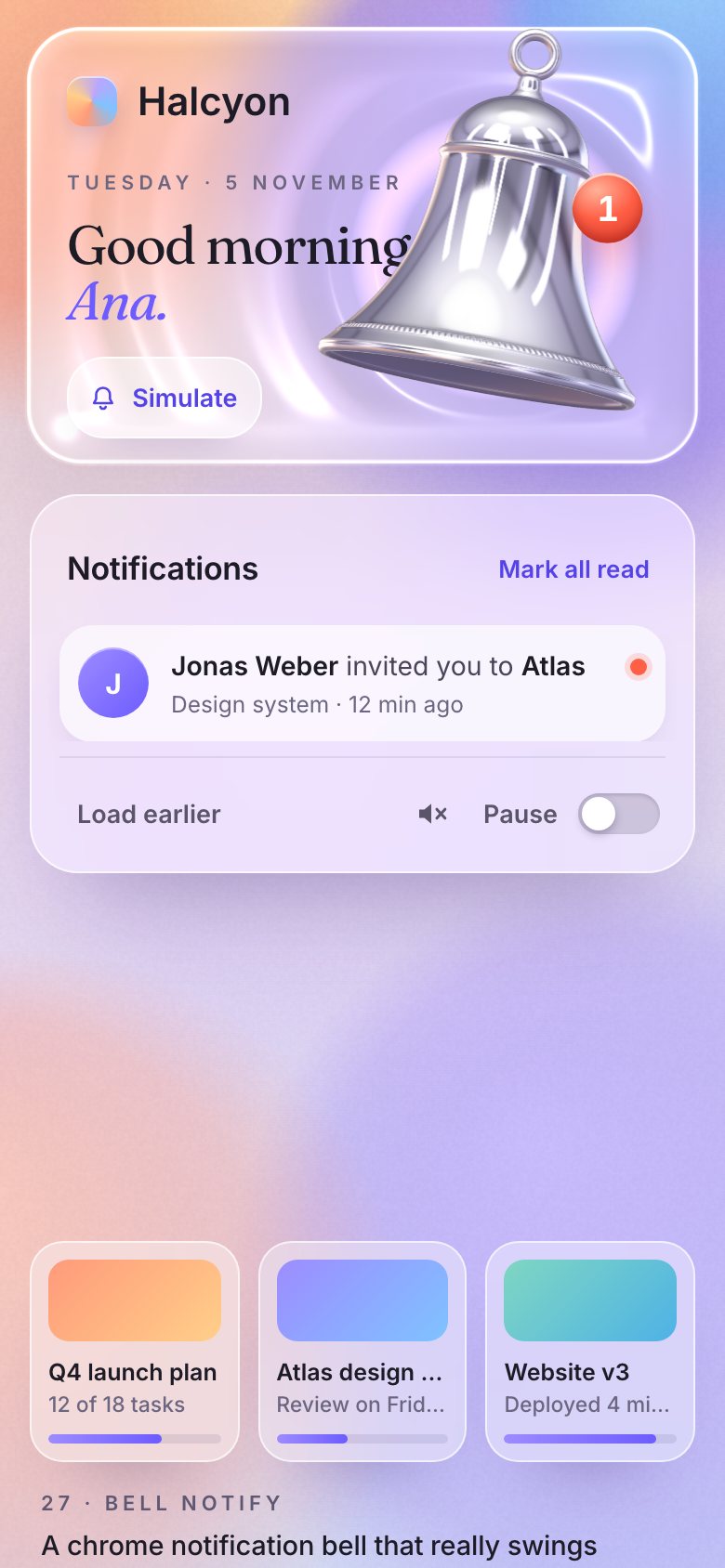
for (let i = localStorage.length - 1; i >= 0; i--) { const k = localStorage.key(i); if (k && /^dv92/.test(k) && !/^dv92\.v1\./.test(k)) localStorage.removeItem(k); }if (q.has('nofx')) d.classList.add('no-fx');A lost WebGL context drops to the SVG bell instead of an empty space, and comes back when the context does. A small test hook reports the state.
const lost = () => { fxOn = false; html.classList.remove('fx-on'); html.classList.add('fx-lost'); ensureFallback(); dirty = true; wake(); };
const restored = () => { if (R.ok && RB.ok) { html.classList.remove('fx-lost'); fxOn = true; layout(); html.classList.add('fx-on'); dirty = true; wake(); } };window.__bell = {
ready, st, bell, rings,
get fx() { return R; }, get fxb() { return RB; },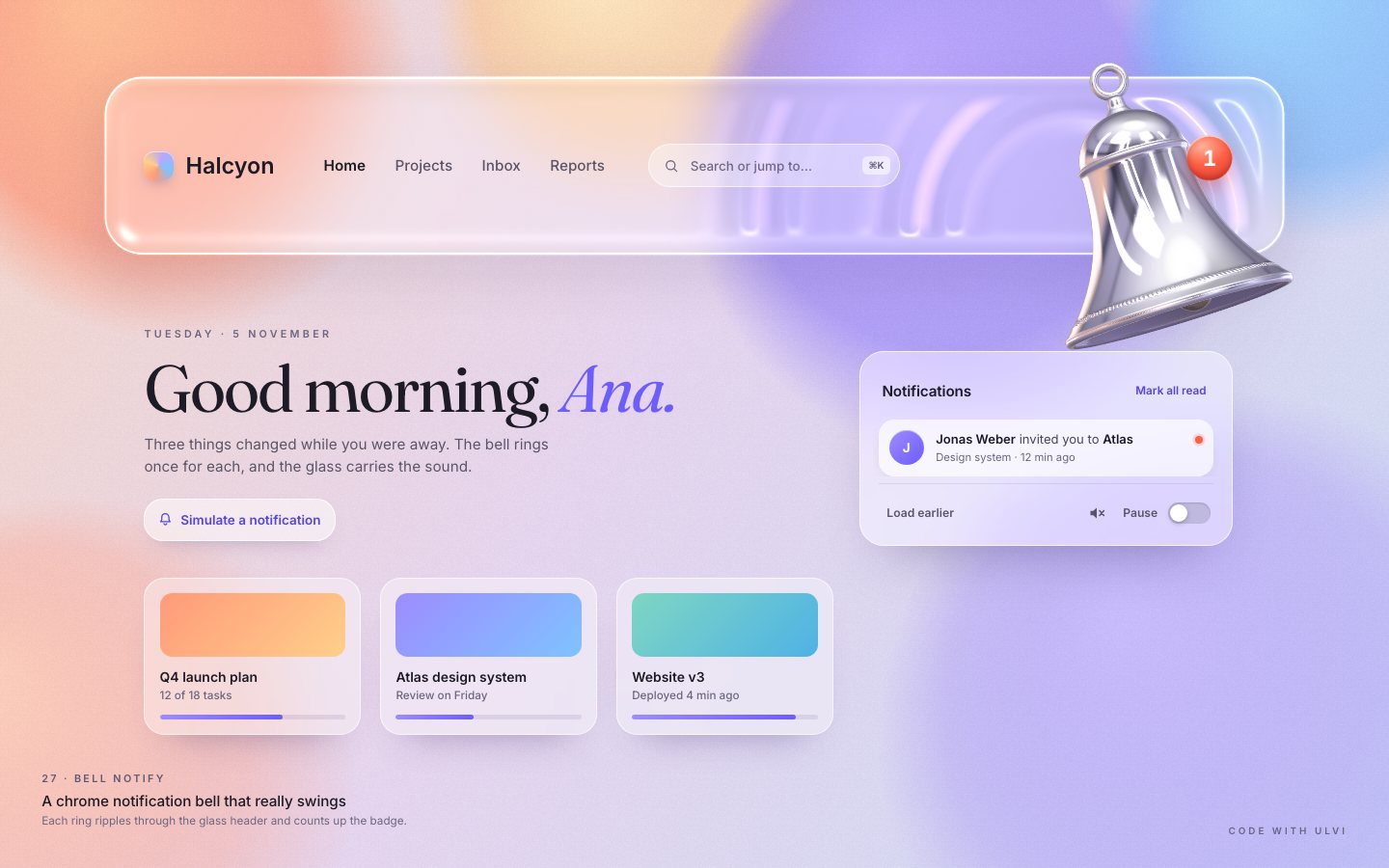
Make it yours
- Your notifications are the
INTROandPOOLlists inapp.js: an avatar, the text and a meta line each. Callarrive()from your own events. - Your bell is in
physics.js:GandLBset how fast it swings,CBandDRYhow soon it settles,Ehow hard the clapper bounces. - Your metal is the studio in
shaders.js: a gold bell is a warmerF0, a darker room makes the chrome moodier. - Accessibility is already there: the bell is a button with
aria-expandedandaria-controls, the panel a dialog with a real list, arrow keys in the list, Escape and an outside click close it and give focus back, new notifications are announced, a visible focus ring, 44 px targets on touch,prefers-reduced-motion(the bell does not swing) and the SVG bell without WebGL2.
Halcyon and everyone in its notifications are made up. Everything on the page was made in code for this project: the bell is a mesh built in JavaScript, the chrome and the glass are shaders, the chime is synthesised.
Let one honest piece of physics drive everything else. The rings, the badge's ride on the shoulder and the chime all follow the same pendulum, so the bell feels like an object, not an animation.