This is the whole build of the molten cart, in the order it was written: the product page of a made-up Murano glass shop, FORNACE, whose add-to-cart button is a bar of glowing molten glass. It turns slowly like a gather on a blowpipe, gets hotter under the cursor and dents when you press it. Let go and a cooling front runs out from your finger, white to orange to red to clear glass; a cut jewel rises out of the cooled bar with your count on it and arcs into the cart. Each stage below is the page as it stood at that step. It shows a still, and Run it here starts the live page in its place. The code under each heading is only what that stage adds. The finished source is at the end, and on GitHub under the MIT licence.
There is no framework and no build step: one HTML page, one style sheet and four ES modules. The glass is drawn by small WebGL canvases that sit behind real DOM: the button is a real button and its label is real text, so it works with a keyboard and a screen reader like any other.
1 · The page, in HTML and CSS
Start with the button. It holds all four of its labels at once, stacked in one grid cell, so a state change is a cross-fade and never moves the layout. The light it throws on the page is its own element behind it.
<div class="add-wrap" id="add-wrap">
  <i class="spill" aria-hidden="true"></i>
  <button class="add" id="add" type="button" aria-describedby="add-msg">
    <span class="lab lab-add">Add to cart<span class="dot" aria-hidden="true"> · </span><span class="sr-only">, total </span><span id="tot">€296</span></span>
    <span class="lab lab-busy" aria-hidden="true">Cooling the glass…</span>
    <span class="lab lab-done" aria-hidden="true"><svg viewBox="0 0 24 24"><path d="M5 12.5l4.2 4.2L19 7"/></svg>Added · <span id="done-n">3</span> in cart</span>
    <span class="lab lab-out" aria-hidden="true">Sold out</span>
  </button>
</div>.add .lab { grid-area: 1 / 1; display: inline-block; white-space: nowrap; will-change: opacity, transform; transition: opacity .35s var(--ease), transform .35s var(--ease), color .5s; }
.lab-add { color: rgba(66, 14, 0, .86); text-shadow: 0 1px 0 rgba(255, 226, 170, .4); }
.lab-busy, .lab-done, .lab-out { opacity: .001; transform: translateY(6px); color: #fff6ec;
text-shadow: 0 0 2px rgba(50, 12, 0, .9), 0 0 12px rgba(50, 12, 0, .8), 0 1px 1px rgba(0, 0, 0, .6); }Its size follows the page: the desktop layout is the concept's 1600 × 1000 frame scaled to the window through one unit, and the bar keeps the concept's proportions, never narrower than 280 px.
.add-wrap { --bw: clamp(280px, calc(var(--u) * 500/16), 560px); --bh: calc(var(--bw) * 104/500); --m: calc(var(--bh) * 1.05);
  position: relative; width: var(--bw); max-width: 100%; height: var(--bh); }
Without any script the bar is already molten: a radial gradient from white-hot through orange to a dark skin, a lit top edge, a dark underside and a wide orange glow. The finished page keeps exactly this as its fallback, for a browser without WebGL.
.no-fx .add { background: radial-gradient(60% 70% at 50% 48%, #fff4c8 0%, #ffd06a 26%, #f39226 52%, #b4430d 78%, #5a1a05 100%);
  box-shadow: inset 0 2px 0 rgba(255, 240, 210, .55), inset 0 -10px 22px rgba(80, 20, 0, .55), 0 0 40px rgba(255, 110, 30, .45), 0 0 120px rgba(255, 90, 20, .2); transition: background .6s, box-shadow .6s; }
The glass colours are a native radio group: arrow keys, a legend and focus come for free. Each swatch is a small glass sphere drawn with a gradient; the real input sits invisible on top of it.
<fieldset class="glass">
  <legend class="lbl">Glass <span class="glass-name" id="glass-name">Amber</span></legend>
  <div class="sw">
    <label class="swatch" style="--c1:#ffcf8a;--c2:#c2591c;--c3:#5a1c08"><input type="radio" name="glass" value="amber" checked><span class="sr-only">Amber</span><i aria-hidden="true"></i></label>
    <label class="swatch" style="--c1:#c9c3be;--c2:#4b4541;--c3:#1d1a18"><input type="radio" name="glass" value="smoke"><span class="sr-only">Smoke</span><i aria-hidden="true"></i></label>
    <label class="swatch" style="--c1:#c8f4ea;--c2:#2f8a80;--c3:#0f3330"><input type="radio" name="glass" value="sea"><span class="sr-only">Sea, sold out</span><i aria-hidden="true"></i></label>
  </div>
</fieldset>.swatch input { position: absolute; inset: 0; margin: 0; opacity: 0; cursor: pointer; }
.swatch i { width: 34px; height: 34px; border-radius: 50%; background: radial-gradient(circle at 35% 30%, var(--c1), var(--c2) 60%, var(--c3));
box-shadow: 0 0 0 1px rgba(255, 255, 255, .12) inset, 0 3px 8px rgba(0, 0, 0, .35); transition: box-shadow .25s var(--ease), transform .25s var(--ease); pointer-events: none; }.swatch input:checked + i { box-shadow: 0 0 0 1px rgba(255, 255, 255, .12) inset, 0 0 0 2px #22160f, 0 0 0 3.5px var(--accent); }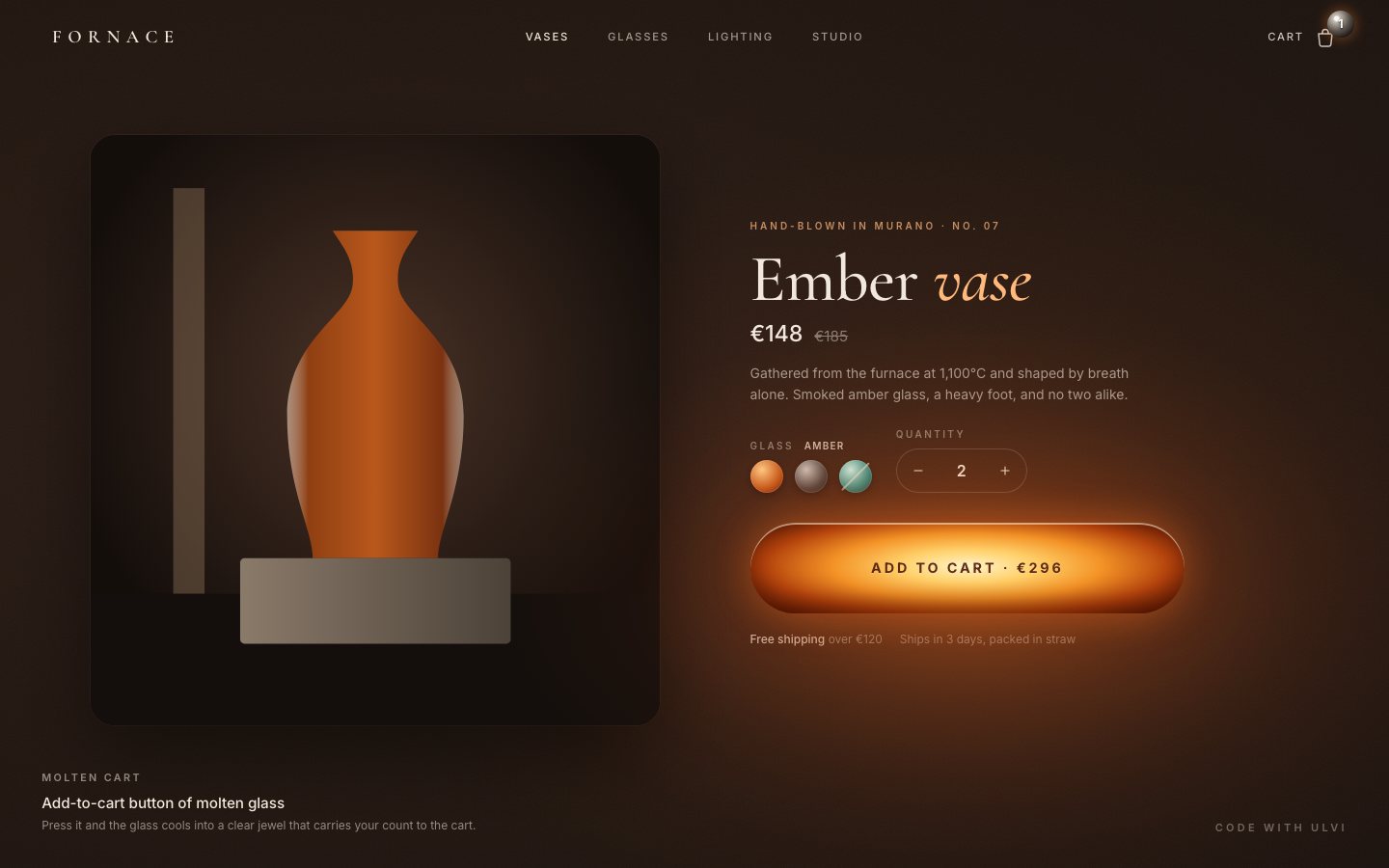
2 · The glass
The bar is a rod of glass seen from the front, turning about its long axis. A pattern pass works in the rod's own coordinates: how far along it, and the angle around it. Adding the rotation to that angle makes convection and twisted threads roll over the surface the way a gather turns on a blowpipe.
float along=l.x/R;
float th=asin(clamp(l.y/R,-1.0,1.0));                               // angle around the rod's long axis
float v=th+uRot;                                                    // the rod turns: the surface moves through v
float t=uTime;
vec2 w=vec2(fbm3(vec2(along*0.45, v*0.9)+vec2(t*0.05,0.0)), fbm3(vec2(along*0.45+5.2, v*0.9+1.7)-vec2(0.0,t*0.04)));
float conv=fbm(vec2(along*0.55, v*1.1)+w*1.6+vec2(-t*0.07, 0.0));
float stri=fbm3(vec2(along*0.28+v*0.55, v*3.2)+w*0.6);               // twisted threads pulled along the gather
That noise is the expensive part, so it runs at a third of the resolution into a small target. A second pass, at full resolution, shades the glass; the canvas covers only the button and its glow, never the page.
// pass 1: the pattern at a third of the resolution
const down = 3, pw = Math.ceil(W / down), ph = Math.ceil(H / down);
this.pat.size(pw, ph);
gl.bindFramebuffer(gl.FRAMEBUFFER, this.pat.fb); gl.viewport(0, 0, pw, ph);
gl.disable(gl.SCISSOR_TEST);
this.Pp.use().set('uRes', pw, ph).set('uScaleDown', W / pw).set('uC', C[0], C[1]).set('uSize', hw, R)
  .set('uTime', s.time).set('uRot', s.rot).draw();
The shading starts from a height field: a slightly flattened rod, with a soft dent under the pointer that deepens when you press and swells a little on hover.
// ---- inside: the height field of a slightly flattened glass rod
float k=0.78;
float zr=sqrt(max(R*R-s*s, 0.0));
float z=k*zr;
vec2 g=(s>1e-3)? -k*s/max(zr,R*0.08)*dv/s : vec2(0.0);// press dent + hover swell under the pointer
vec2 pq=p-uPtr; float pg=exp(-dot(pq,pq)/(R*R*0.55));
float dent=(-0.38*uPress+0.06*uHot)*R;
z+=dent*pg; g+=dent*pg*(-2.0*pq/(R*R*0.55));The colour is temperature. Thick glass in the core stays hotter than the thin rim, the pattern adds convection, and a blackbody ramp turns that into light: dark red, orange, yellow, white.
vec3 black(float t){
  t=max(t,0.0);
  vec3 c=mix(vec3(0.3,0.015,0.0), vec3(1.0,0.2,0.015), smoothstep(0.0,0.4,t));
  c=mix(c, vec3(1.0,0.55,0.12), smoothstep(0.35,0.72,t));
  c=mix(c, vec3(1.0,0.86,0.5), smoothstep(0.7,1.0,t));
  c=mix(c, vec3(1.0,0.97,0.88), smoothstep(1.0,1.3,t));
  return c*(0.05+2.6*t*t*t+0.9*t*t);
}
Pressing the bar starts a cooling front from the press point. Behind it the temperature falls to zero, and the thick core lags behind the rim, so the edge of the front is a band of red and orange rather than a hard line. The same uniform runs backwards, from the centre, when the glass melts again.
if(uFront.w!=0.0){
  float dist=length(p-uFront.xy);
  float lag=thick*R*1.1;                      // the thick core holds its heat longer
  if(uFront.w>0.0) mask=smoothstep(uFront.z-R*2.2, uFront.z+R*0.3, dist+lag);
  else mask=1.0-smoothstep(uFront.z-R*0.6, uFront.z+R*0.25, dist-lag*0.5);
}
Cold glass is clear: it bends the dark page behind it, tinted by the chosen glass, the way a glass rod flips what is behind it.
// ---- cooled clear glass: refracts the page behind it (a rod lens flips it), tinted by the chosen glass
vec2 off=vec2(-n.x, n.y)*R*1.4;
vec2 bq=(p+off-uC)/vec2(uSize.x, R);
float bglow=exp(-pow(max(abs(bq.x)-0.6,0.0)/0.8,2.0))*exp(-pow((bq.y-1.4)/0.9,2.0));
vec3 behind=uBg*(0.75+0.5*smoothstep(1.6,-0.5,bq.y))+vec3(0.5,0.25,0.1)*0.18*bglow;
vec3 tint=mix(vec3(1.0), uTint, 0.18+0.3*thick);
vec3 clear=behind*tint*1.15;
The vase on the left is a photograph made in a shader: a surface of revolution with real absorption through its walls. Each glass colour is just three absorption rates and the colour of the light trapped in the glass; changing it cross-fades the numbers and draws the vase again, and then the vase sleeps.
export const GLASS = {
  amber: { sigma: [0.9, 3.1, 8.5], glow: [1.0, 0.42, 0.1], tint: [1.0, 0.62, 0.32] },
  smoke: { sigma: [3.0, 3.1, 3.3], glow: [0.5, 0.46, 0.43], tint: [0.62, 0.6, 0.58] },
  sea:   { sigma: [5.5, 1.3, 1.6], glow: [0.2, 0.8, 0.72], tint: [0.45, 0.9, 0.85] },
};setGlass(name, instant = false) {
const g = GLASS[name] || GLASS.amber;
if (g === this.to) return;
this.from = this.mixed(); this.to = g; this.k = instant ? 1 : 0; this.dirty = true;
}The button's states live in a few springs: heat follows the hover, the dent follows the press, quickly in and slowly out.
const sp = (v, g, k) => v + (g - v) * Math.min(1, dt * k);
const prevHot = S.hot, prevPress = S.press;
S.hot = sp(S.hot, S.hotGoal, 5); S.press = sp(S.press, S.pressGoal, S.pressGoal > S.press ? 22 : 9);
The add is a short timeline: the cooling front grows from the press point for a second, the labels cross-fade, the count goes to the cart, and after a moment the glass melts again from the centre.
const maxR = Math.hypot(Math.max(seq.x, seq.w - seq.x), seq.h) + seq.h * 0.8;
if (m) {
  if (t < T.cool) { m.heat = 1; m.front = [seq.x, seq.y, (maxR + seq.h * 1.2) * easeInOut(t / T.cool), 1]; }
  else if (t < T.reheat0) { m.heat = 0; m.front = [0, 0, 0, 0]; }
  else if (t < T.reheat1) { const k = (t - T.reheat0) / (T.reheat1 - T.reheat0); m.heat = 1; m.front = [seq.w / 2, seq.h / 2, (Math.hypot(seq.w / 2, seq.h / 2) + seq.h) * easeInOut(k), -1]; }
  else { m.heat = 1; m.front = [0, 0, 0, 0]; }
}if (t >= 0.5) el.add.classList.add('cool');
if (t >= T.done0 && S.state === 'cooling') { setState('done'); seq.landed = true; commitAdd(seq); } // clear glass: the count goes to the cart
if (t >= T.labelBack && S.state === 'done') { setState('reheat'); el.add.classList.remove('cool'); }Asking for more than six vases is an error the glass shows as well: a cherry flash and a heavy sideways shudder, with the message read out as an alert.
if (emberInCart() + S.qty > LIMIT) {
  const left = LIMIT - emberInCart();
  message(left > 0 ? `Up to ${LIMIT} Ember vases per order. You can add ${left} more.` : `Up to ${LIMIT} Ember vases per order, and your cart already holds ${LIMIT}.`, true);
  S.err = 1; S.errT = 0; setState('error'); kick();
  return;
}
At rest the glass redraws at 30 frames a second, at full rate only while something moves, and not at all when the button is off screen, the tab is hidden or the visitor asked for reduced motion.
const due = active || S.cold !== prevCold || S.hot !== prevHot || S.press !== prevPress || (idle && now - lastMolten >= 32) || lastMolten < 0 || S.dirty;
if (due) { molten.frame(); lastMolten = now; S.dirty = false; }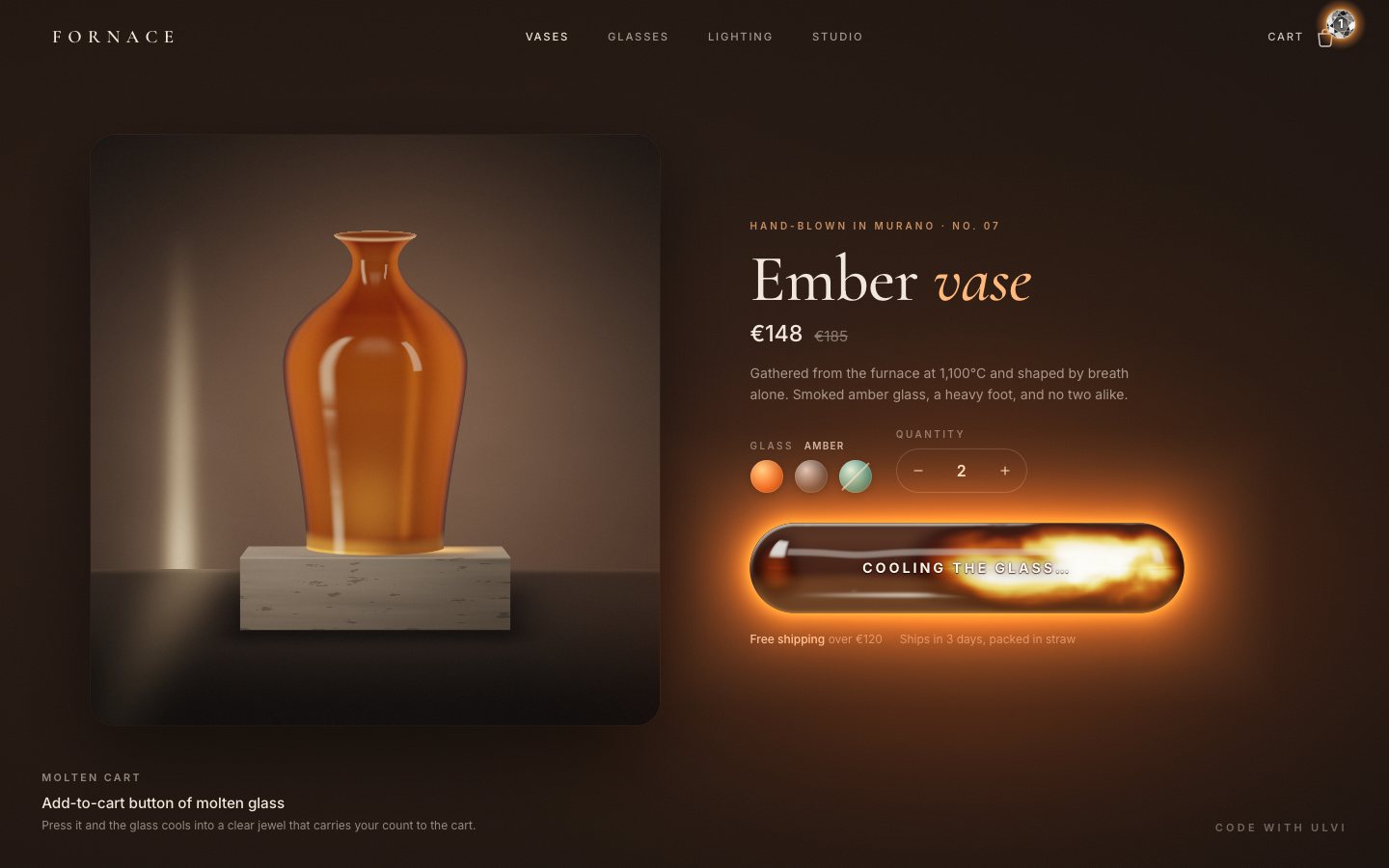
3 · The finish
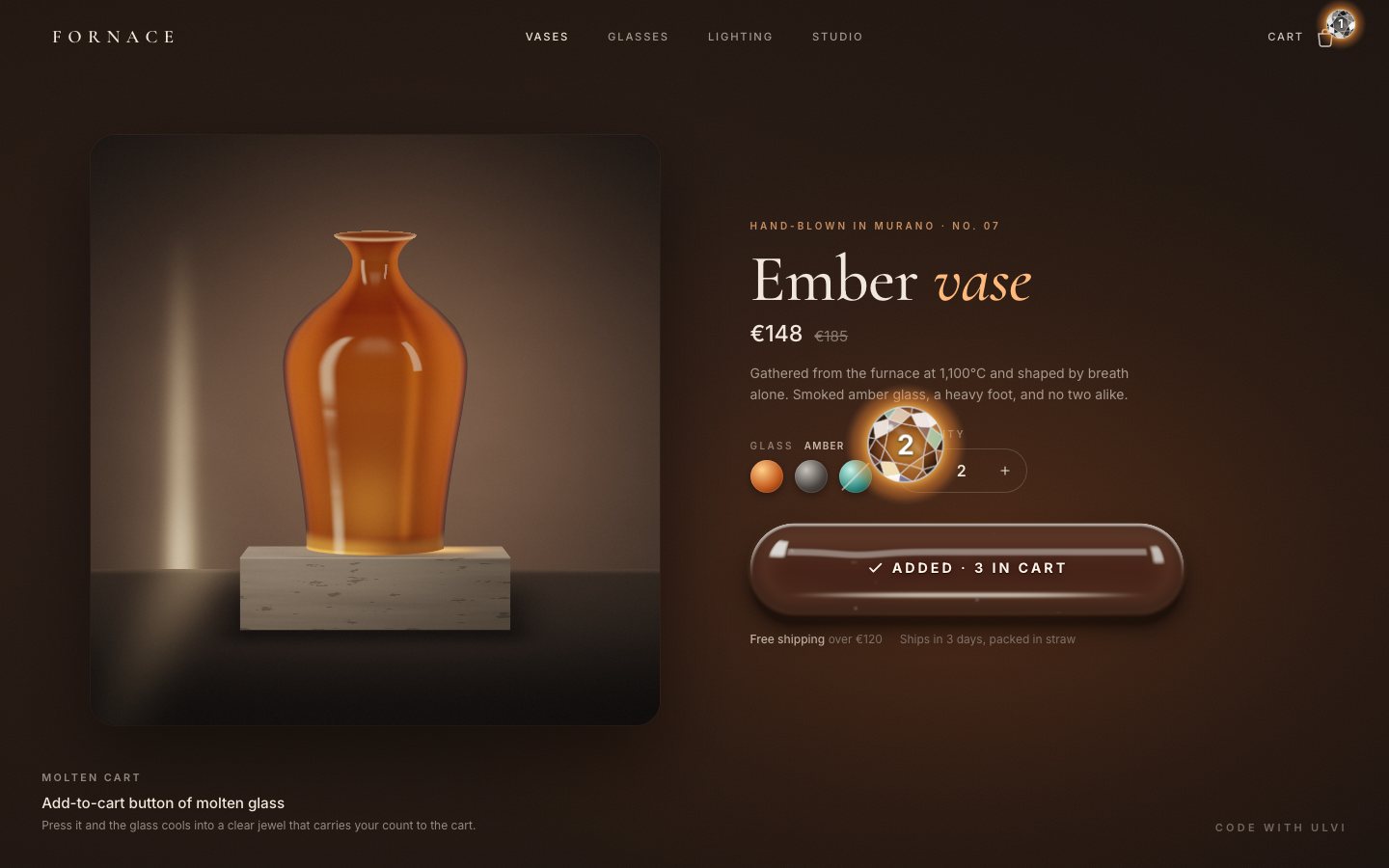
Now the count travels. A cut jewel rises out of the cooled glass at the press point, still glowing inside, then arcs up and shrinks into the cart badge, where it hands over the number.
// the jewel: rises out of the cooled glass, then arcs to the cart
if (t >= T.jewelIn && !seq.landed) {
  const ab = el.add.getBoundingClientRect(), bb = el.badge.getBoundingClientRect();
  const sx = ab.left + clamp(seq.x, seq.h * 0.5, seq.w - seq.h * 0.5), sy = ab.top + seq.h / 2;
  const ex = bb.left + bb.width / 2, ey = bb.top + bb.height / 2;
  const size = el.flight.offsetWidth || 84, end = 30 / size;
  let x = sx, y = sy, sc;
  if (t < T.fly0) { const k = (t - T.jewelIn) / (T.fly0 - T.jewelIn); sc = 0.25 + 0.75 * (1 - Math.pow(1 - k, 3)) + 0.08 * Math.sin(k * Math.PI); y = sy - 10 * easeOut(k); }
  else {
    const k = easeInOut((t - T.fly0) / (T.fly1 - T.fly0));
    const cx = (sx + ex) / 2 + (ex - sx) * 0.1, cy = Math.min(sy, ey) - Math.max(120, Math.abs(sy - ey) * 0.35);
    x = (1 - k) * (1 - k) * sx + 2 * (1 - k) * k * cx + k * k * ex; y = (1 - k) * (1 - k) * (sy - 10) + 2 * (1 - k) * k * cy + k * k * ey;
    sc = 1 + (end - 1) * k;
  }
  el.flight.classList.add('on');
  el.flight.style.transform = `translate3d(${x - size / 2}px, ${y - size / 2}px, 0) scale(${sc})`;
  if (flightJ) { flightJ.s.spin = t * 2.2; flightJ.s.ember = clamp(1 - (t - T.jewelIn) / 0.9, 0, 1); flightJ.s.glow = 0.35 + 0.5 * flightJ.s.ember; seq.flying = true; }
  if (t >= T.fly1) { seq.landed = true; el.flight.classList.remove('on'); parkFlight(); seq.flying = false; commitAdd(seq); }
}
The jewel is one more shader: a round brilliant seen from above, worked out per eighth of the stone with straight facet edges. Every facet returns a different patch of the room, split into a little spectral fire as the stone turns.
// a round brilliant from above: octagonal table; per 1/8 sector a star facet, half of a bezel kite each side and two
// upper-girdle facets, all with straight edges (worked in the sector's own frame)
float S8=TAU/8.0;// pavilion return: each facet sends back a different patch of the room, split into spectral fire as the stone turns
float h1=hash12(vec2(id, 3.0)), h2=hash12(vec2(id, 11.0));
vec3 fire;
for(int k=0;k<3;k++){
float ph=fract(h1+uSpin*0.16+float(k)*0.045);
fire[k]=pow(max(0.0,1.0-abs(ph-0.5)*2.6),5.0);
}When it lands the badge flashes and pops, and the bag wiggles. Restarting a CSS animation takes one forced layout between removing the class and adding it back.
el.badge.classList.remove('pop'); el.cart.classList.remove('got'); void el.badge.offsetWidth;
el.badge.classList.add('pop'); el.cart.classList.add('got');.badge.pop { animation: pop .55s cubic-bezier(.3, 1.7, .5, 1); }Between flights the jewel's layer stays alive, almost transparent, parked under the badge, so the first flight costs no layer setup and never drops a frame.
// at rest the jewel layer stays alive (nearly transparent) parked under the badge, so the first flight costs no layer setup
function parkFlight() {
  const bb = el.badge.getBoundingClientRect(), size = el.flight.offsetWidth || 84;
  el.flight.style.transform = `translate3d(${bb.left + bb.width / 2 - size / 2}px, ${bb.top + bb.height / 2 - size / 2}px, 0) scale(${30 / size})`;
}
The Cart button opens a small dialog with the lines, a remove button on each and the subtotal. Focus goes to Close, Escape or a click outside closes it, and focus returns to Cart.
function openCart(open) {
  el.pop.hidden = !open; el.cart.setAttribute('aria-expanded', String(open));
  if (open) $('.cp-x').focus();
}
el.cart.addEventListener('click', () => { const open = el.pop.hidden; openCart(open); if (!open) el.cart.focus(); });
$('.cp-x').addEventListener('click', () => { openCart(false); el.cart.focus(); });
$('.cp-go').addEventListener('click', () => say('Demo shop: checkout is not part of this component.'));
document.addEventListener('keydown', (e) => { if (e.key === 'Escape' && !el.pop.hidden) { openCart(false); el.cart.focus(); } });
document.addEventListener('pointerdown', (e) => { if (!el.pop.hidden && !e.target.closest('.cart-wrap')) openCart(false); });
The cart is saved under one versioned key, so a later version can drop old data without guessing.
const store = {
  load() {
    try {
      for (let i = localStorage.length - 1; i >= 0; i--) { const k = localStorage.key(i); if (k && k.startsWith('dv73') && k !== KEY) localStorage.removeItem(k); }
      const v = JSON.parse(localStorage.getItem(KEY) || 'null');
      if (Array.isArray(v) && v.every((l) => l && typeof l.id === 'string' && l.qty > 0)) return v;
    } catch (e) {}
    return SHOWCASE();
  },
  save(cart) { try { localStorage.setItem(KEY, JSON.stringify(cart)); } catch (e) {} },
};
Make it yours
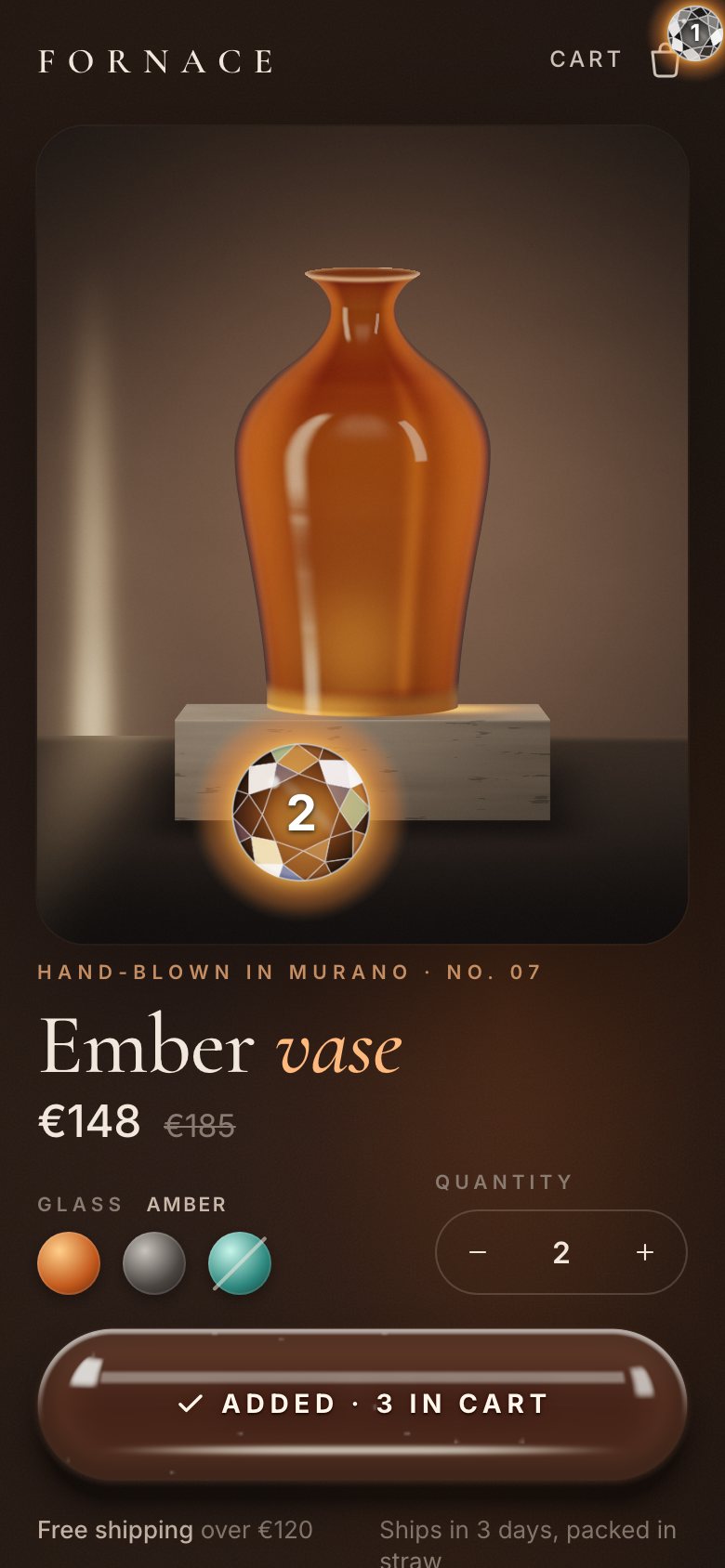
- Your product is ordinary HTML: the title, the price, the description, the options. Swap the vase card for a photo if you have one; the button does not depend on it.
- Your glass is a handful of numbers: the blackbody ramp in
black(), the turning speed in the frame loop, the front's speed inT.cool, and each glass colour's tint inGLASS. - Accessibility is already there: a real button with a text label,
aria-busywhile the glass cools, the add announced in a polite live region, the limit as an alert,aria-disabledon sold-out glass, a native radio group, 44 px targets, visible focus,prefers-reduced-motionhonoured (an instant add, no flight) and a CSS bar without WebGL.
FORNACE is a made-up glass shop. Everything on the page was made in code for this project: the vase, the molten glass and the jewel are shaders.
Make the state a temperature, not a colour. One number per pixel, pushed through a blackbody ramp, gives the glow, the cooling front and the clear glass for free, and a moving front over that number is the whole animation.