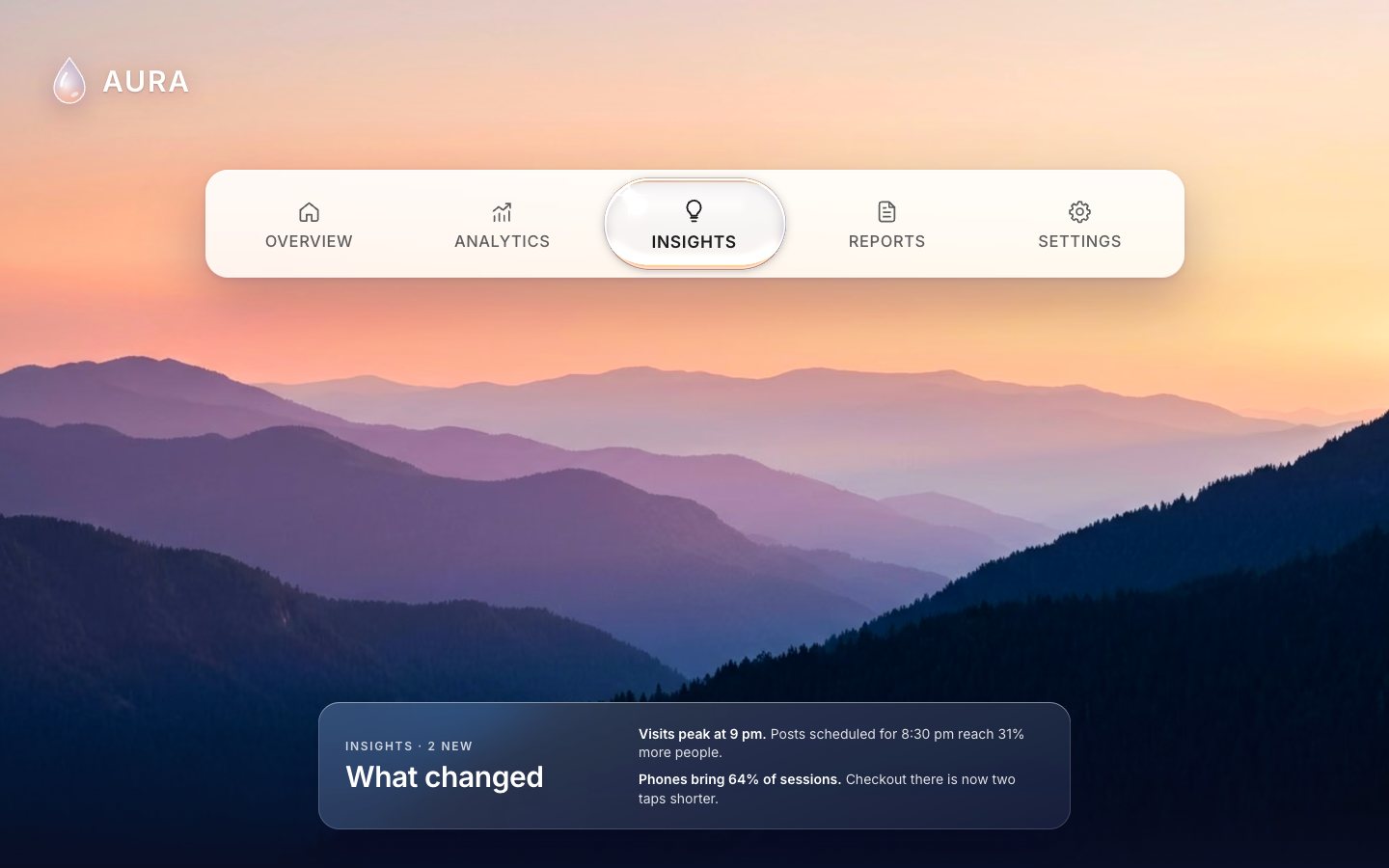
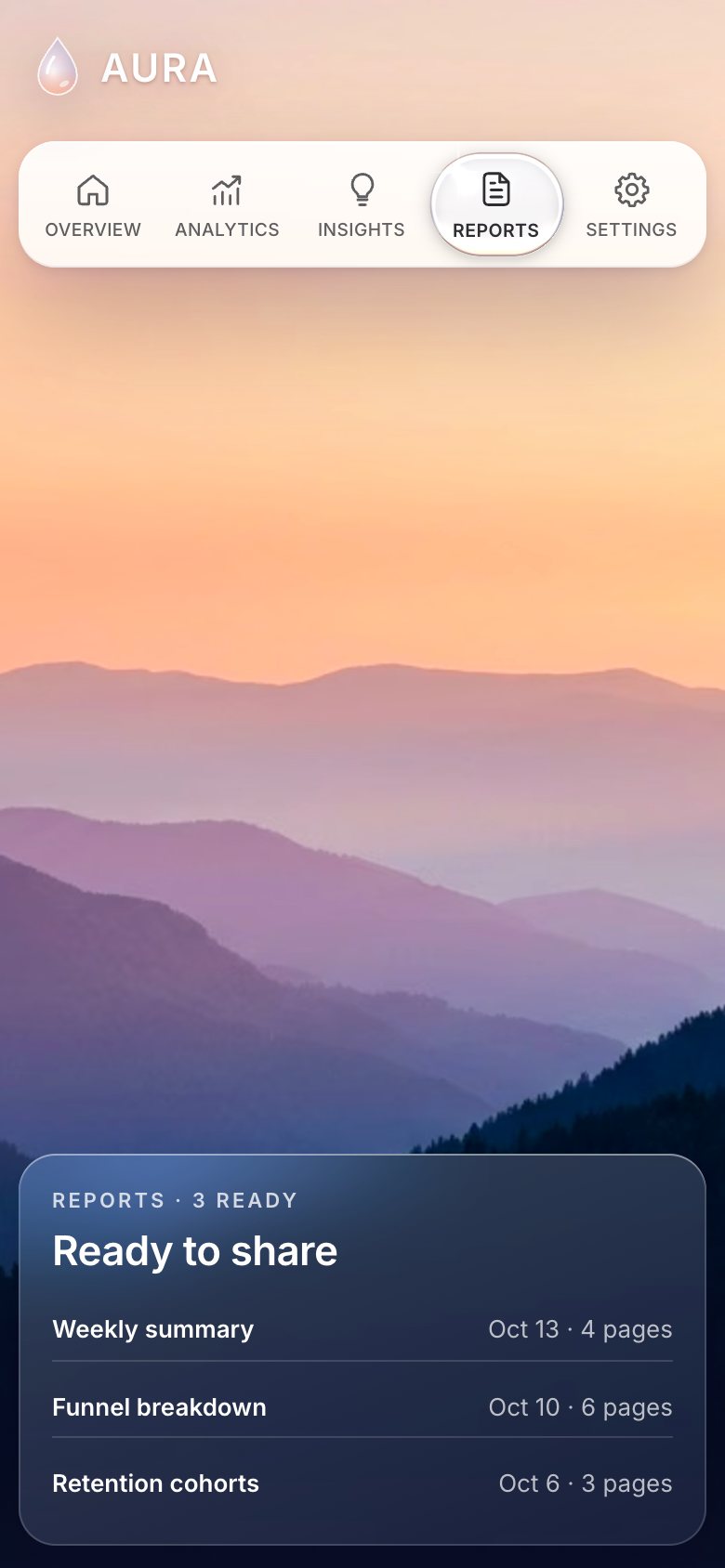
This is the whole build of the liquid glass tabs, in the order they were written, for a made-up analytics app called AURA. Five tabs sit on a frosted bar over a sunset photo. The active tab wears a clear pill of liquid glass. Pick another tab and the pill pours across: the leading edge runs ahead, the back follows like a wave, the waist thins a little, and it settles with a soft wobble. Each stage below is the page as it stood at that step. It shows a still, and Run it here starts the live page in its place. The code under each heading is only what that stage adds. The finished source is at the end, and on GitHub under the MIT licence.
There is no framework and no build step: one HTML page, one style sheet, four ES modules and a wallpaper photo. The glass is one small WebGL shader per control. Every label stays real DOM text above it, so it is sharp and readable.
1 · The page, in HTML and CSS
The tabs are a real tablist: buttons with role="tab", each pointing at its panel. Each tab
has a line icon over an uppercase label.
<div class="tabbar" role="tablist" aria-label="Dashboard" data-control="hero">
  <button role="tab" id="t-overview" aria-controls="p-overview" aria-selected="false" data-id="overview"><span class="lbl"><svg class="ico" aria-hidden="true"><use href="#i-home"/></svg><span class="txt">Overview</span></span></button>
  <button role="tab" id="t-analytics" aria-controls="p-analytics" aria-selected="true" data-id="analytics"><span class="lbl"><svg class="ico" aria-hidden="true"><use href="#i-chart"/></svg><span class="txt">Analytics</span></span></button>
  <button role="tab" id="t-insights" aria-controls="p-insights" aria-selected="false" data-id="insights"><span class="lbl"><svg class="ico" aria-hidden="true"><use href="#i-bulb"/></svg><span class="txt">Insights</span></span></button>
  <button role="tab" id="t-reports" aria-controls="p-reports" aria-selected="false" data-id="reports"><span class="lbl"><svg class="ico" aria-hidden="true"><use href="#i-doc"/></svg><span class="txt">Reports</span></span></button>
  <button role="tab" id="t-settings" aria-controls="p-settings" aria-selected="false" data-id="settings"><span class="lbl"><svg class="ico" aria-hidden="true"><use href="#i-gear"/></svg><span class="txt">Settings</span></span></button>
</div>
The bar is frosted white with a soft shadow. One custom property, --s, scales the whole hero, so the
same numbers work from a laptop to a large screen.
.tabbar { position: relative; pointer-events: auto; display: flex; width: min(calc(var(--s) * 1015px), 92vw); height: calc(var(--s) * 112px);
  padding: 0 calc(var(--s) * 8px); border-radius: calc(var(--s) * 24px); touch-action: pan-y; user-select: none; -webkit-user-select: none; }
.tabbar::before { content: ""; position: absolute; inset: 0; border-radius: inherit; z-index: 0;
  background: linear-gradient(180deg, rgba(255,255,255,.93), rgba(255,255,255,.86));
  -webkit-backdrop-filter: blur(22px) saturate(1.4); backdrop-filter: blur(22px) saturate(1.4);
  box-shadow: 0 1px 0 rgba(255,255,255,.9) inset, 0 -1px 0 rgba(120,110,160,.12) inset, 0 calc(var(--s) * 24px) calc(var(--s) * 60px) rgba(40, 18, 80, .28), 0 2px 6px rgba(40, 18, 80, .12); }
.tabbar [role=tab] { position: relative; z-index: 2; flex: 1 1 0; min-width: 0; height: 100%; display: flex; align-items: center; justify-content: center; border-radius: calc(var(--s) * 18px); color: var(--label); }
.tabbar .lbl { display: flex; flex-direction: column; align-items: center; gap: calc(var(--s) * 9px); transform-origin: 50% 55%; will-change: auto; }
.tabbar .ico { width: calc(var(--s) * 27px); height: calc(var(--s) * 27px); fill: none; stroke: currentColor; stroke-width: 1.55; stroke-linecap: round; stroke-linejoin: round; }
.tabbar .txt { font-size: calc(var(--s) * 16.5px); font-weight: 500; letter-spacing: .035em; text-transform: uppercase; line-height: 1; white-space: nowrap; }
.tabbar [role=tab][aria-selected=true] { color: var(--ink); }
.tabbar [role=tab][aria-selected=true] .txt { font-weight: 600; }
Each panel is a tabpanel; all but the active one carry hidden.
<section class="panel" role="tabpanel" id="p-insights" aria-labelledby="t-insights" tabindex="0" hidden>
  <div class="p-text">
    <p class="eyebrow">Insights · 2 new</p>
    <h2 class="p-title">What changed</h2>
  </div>
  <ul class="rows">
    <li><b>Visits peak at 9 pm.</b> Posts scheduled for 8:30 pm reach 31% more people.</li>
    <li><b>Phones bring 64% of sessions.</b> Checkout there is now two taps shorter.</li>
  </ul>
</section>
On a phone the bar keeps all five tabs. It gets a little shorter, and the labels get smaller.
.tabbar { width: calc(100vw - 20px); height: 68px; padding: 0 4px; border-radius: 20px; }
.tabbar [role=tab] { border-radius: 15px; }
.tabbar .lbl { gap: 6px; }
.tabbar .ico { width: 22px; height: 22px; }
.tabbar .txt { font-size: 9.6px; letter-spacing: .02em; }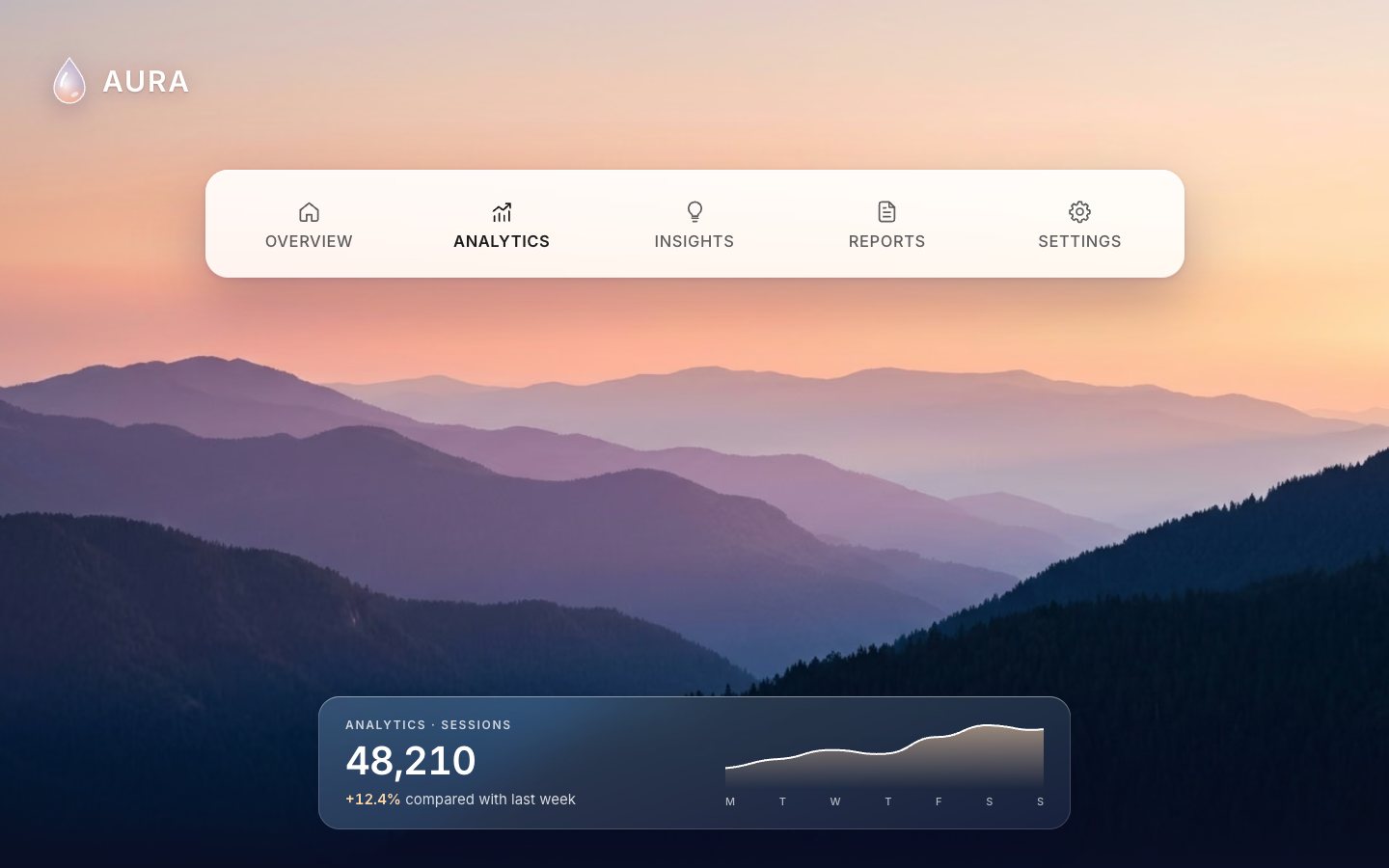
2 · The controls work
One small class drives every control on the page: the hero tabs, the two-option tile, the settled switch and the segmented picker. It follows the WAI-ARIA patterns. The arrow keys move and wrap, and so do Home and End.
root.addEventListener('keydown', (e) => {
  const i = this.items.indexOf(document.activeElement); if (i < 0) return;
  const n = this.items.length; let j = null;
  if (e.key === 'ArrowRight' || e.key === 'ArrowDown') j = (i + 1) % n;
  else if (e.key === 'ArrowLeft' || e.key === 'ArrowUp') j = (i - 1 + n) % n;
  else if (e.key === 'Home') j = 0; else if (e.key === 'End') j = n - 1;
  else if (e.key === ' ' || e.key === 'Enter') { e.preventDefault(); this.select(i, { source: 'key' }); return; }
  if (j === null) return;
  e.preventDefault();
  this.select(j, { focus: true, source: 'key' });
});
Only the active option sits in the tab order (a roving tabindex).
_sync(focus) {
  this.items.forEach((b, j) => {
    const on = j === this.index;
    b.setAttribute(this.attr, on ? 'true' : 'false');
    b.tabIndex = on ? 0 : -1;
  });
  if (focus) this.items[this.index].focus({ preventScroll: true });
}
For now the indicator is a frosted CSS pill that slides under the labels. The finished page keeps it as the fallback for browsers without WebGL.
_fbMove(cx, g, instant) {
  if (!this.fb) return;
  this.fb.style.transition = instant ? 'none' : '';
  this.fb.style.width = `${g.hw * 2}px`; this.fb.style.height = `${g.hh * 2}px`;
  this.fb.style.transform = `translate(${cx - g.hw}px, ${g.cy - g.hh}px)`;
}.fallback-ind { position: absolute; left: 0; top: 0; z-index: 1; pointer-events: none; transition: transform .45s var(--ease), width .45s var(--ease); }
.fb-cap { position: absolute; inset: 0; border-radius: 999px; background: radial-gradient(120% 120% at 30% 20%, rgba(255,255,255,.95), rgba(235,235,250,.55) 55%, rgba(170,175,220,.45));
box-shadow: inset 0 1px 1px #fff, inset 0 -6px 12px rgba(80, 90, 160, .22), 0 8px 20px rgba(40, 30, 90, .22); -webkit-backdrop-filter: blur(6px) saturate(1.6); backdrop-filter: blur(6px) saturate(1.6); }The pill's size comes from the page, not the control. On the hero it is exactly the bar's inner row.
// the pill is exactly the bar's inner row: same height, inset all round, fully rounded
geom: (b, rootEl, r, rr) => {
  const inset = isPhone() ? 6 : 8 * S, hh = rr.height / 2 - inset;
  return { hw: r.width / 2 - (isPhone() ? 0 : 5 * S), hh, rr: hh };
},
Choosing a tab shows its panel, which slides in from the side it came from. The URL hash follows, so a link to
#reports opens on Reports.
function showPanel(id, source) {
  const prev = panels.findIndex((p) => !p.hidden), next = panels.findIndex((p) => p.id === 'p-' + id);
  if (next < 0) return;
  panels.forEach((p, i) => { if (i !== next) p.hidden = true; });
  const p = panels[next];
  p.hidden = false;
  p.classList.remove('enter', 'enter-l', 'enter-r');
  if (source !== 'init' && prev !== next) { void p.offsetWidth; p.classList.add('enter', next > prev ? 'enter-r' : 'enter-l'); }
  current = id;
  if (source !== 'init') history.replaceState(null, '', '#' + id);
}function fromHash(instant) {
const id = location.hash.slice(1);
const i = heroCtl.items.findIndex((b) => b.dataset.id === id);
if (i >= 0 && i !== heroCtl.index) heroCtl.select(i, { source: instant ? 'init' : 'hash', instant });
showPanel(heroCtl.item.dataset.id, 'init');
}
addEventListener('hashchange', () => fromHash(false));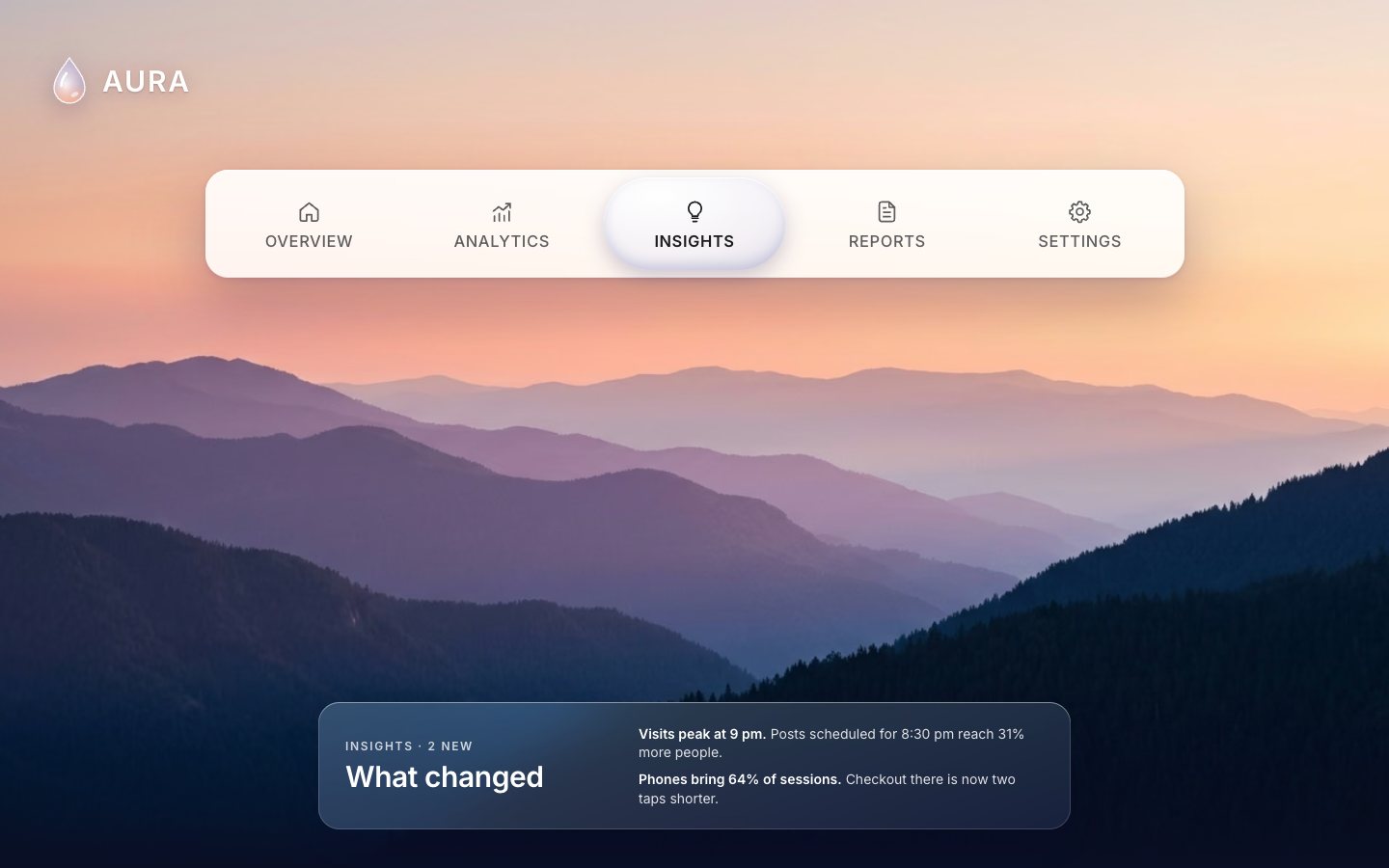
3 · The glass, at rest
Glass bends what is behind it, so the shader needs those pixels. The photo is painted into a canvas, cropped the way
CSS cover would crop it.
function drawCover(ctx, img, w, h, fx, fy) {
  const s = Math.max(w / img.naturalWidth, h / img.naturalHeight);
  const dw = img.naturalWidth * s, dh = img.naturalHeight * s;
  const x = clamp(w * 0.5 - dw * fx, w - dw, 0), y = clamp(h * 0.5 - dh * fy, h - dh, 0);
  ctx.imageSmoothingEnabled = true; ctx.imageSmoothingQuality = 'high';
  ctx.filter = 'saturate(1.18) contrast(1.05)';   // a touch of the concept's vividness
  ctx.drawImage(img, x, y, dw, dh); ctx.filter = 'none';
}
Each control paints the world behind its row into a texture: the photo, then the frosted bar on top, blurred the way the CSS blurs it. The glass reads that texture.
// refraction texture: the world behind the glass, painted at texScale
const world = this.cfg.world, wr = world.getBoundingClientRect();
const s = Math.min(this.cfg.texScale, 1800 / Math.max(wr.width, 1));
const tw = Math.max(2, Math.round(wr.width * s)), th = Math.max(2, Math.round(wr.height * s));
if (!this._tex) this._tex = document.createElement('canvas');
this._tex.width = tw; this._tex.height = th;
const ctx = this._tex.getContext('2d');
const rootInWorld = { x: rr.left - wr.left, y: rr.top - wr.top, w: rr.width, h: rr.height };
this.cfg.paintWorld(ctx, tw, th, s, { root: rootInWorld, world: wr });
this.drop.setBackground(this._tex);
this.drop.setBackgroundTransform(1 / wr.width, 1 / wr.height, (rootInWorld.x - pl) / wr.width, (rootInWorld.y - pt) / wr.height);
The pill is drawn from a 2D distance field. It is really two rounded pills, a head and a tail, plus a waist between them, blended smoothly. At rest they lie on top of each other.
float sdAll(vec2 p, out float R){
  float a=sdRB(p-uA.xy,uA.zw,uRr.x);
  float b=sdRB(p-uB.xy,uB.zw,uRr.y);
  float n=sdSeg(p,uA.xy,uB.xy)-uN.x;
  float tau=3.0*uDpr;
  float m=min(min(a,b),n);
  float wa=exp(-(a-m)/tau), wb=exp(-(b-m)/tau), wn=exp(-(n-m)/tau);
  R=(wa*uRr.x+wb*uRr.y+wn*uN.z)/(wa+wb+wn)*0.98;
  return smin(smin(a,b,uN.y),n,uN.y);
}
The distance to the edge becomes a dome height, and the height becomes a normal for every pixel.
float height(float d, float R){ float t=clamp(-d,0.,R); float x=R-t; return sqrt(max(R*R-x*x,0.)); }That normal is the whole look. The backdrop magnifies a little towards the middle, and near the rim the glass pulls the world from just outside inwards. That puts a thin coloured band of the bar's edge and the photo along the rim, as real liquid glass does. Red, green and blue bend by slightly different amounts.
// gentle lens: what is behind magnifies a little towards the middle, faint dispersion at the edge
// and the rim bends the world just outside it inwards (liquid-glass edge lensing: the bar edge and the photo
// beyond it show up as a coloured band along the rim)
float edgeK=pow(1.0-n.z,1.6);
vec2 off=-n.xy*H*uRefr + n.xy*R*1.15*edgeK;
vec2 dsp=n.xy*R*0.09*edgeK;
vec3 bg=vec3(texture2D(uBg,(p+off-dsp)*uBgXf.xy+uBgXf.zw).r,
             texture2D(uBg,(p+off)*uBgXf.xy+uBgXf.zw).g,
             texture2D(uBg,(p+off+dsp)*uBgXf.xy+uBgXf.zw).b);
vec3 c=bg*vec3(0.975,0.985,1.0);
A thin grey outline gives the pill its edge, and a rim light is strongest on top.
// thin grey outline just inside the silhouette, then a bright rim light that is strongest on top
float ol=exp(-pow((d+0.6*uDpr)/(0.7*uDpr),2.0));
c=mix(c, c*vec3(0.62,0.64,0.72), ol*0.45);
float hl=exp(-pow((d+1.9*uDpr)/(0.9*uDpr),2.0));
c+=hl*(0.2+0.8*smoothstep(0.3,-0.9,n.y))*0.75;
Each draw shades only the pill's bounding box, with a scissor, never the whole canvas.
const pad = 10 + hh * 0.45;
const x0 = Math.min(A.x - D.w, B.x - bw) - pad, x1 = Math.max(A.x + D.w, B.x + bw) + pad;
const y0 = A.y - hh - pad, y1 = A.y + hh + pad;
const sx = clamp(Math.floor(x0 * d), 0, W), sy = clamp(Math.floor((this.h - y1) * d), 0, Hh);
const sw = clamp(Math.ceil((x1 - x0) * d), 0, W - sx), shh = clamp(Math.ceil((y1 - y0) * d), 0, Hh - sy);
if (sw <= 0 || shh <= 0) return;
gl.scissor(sx, sy, sw, shh);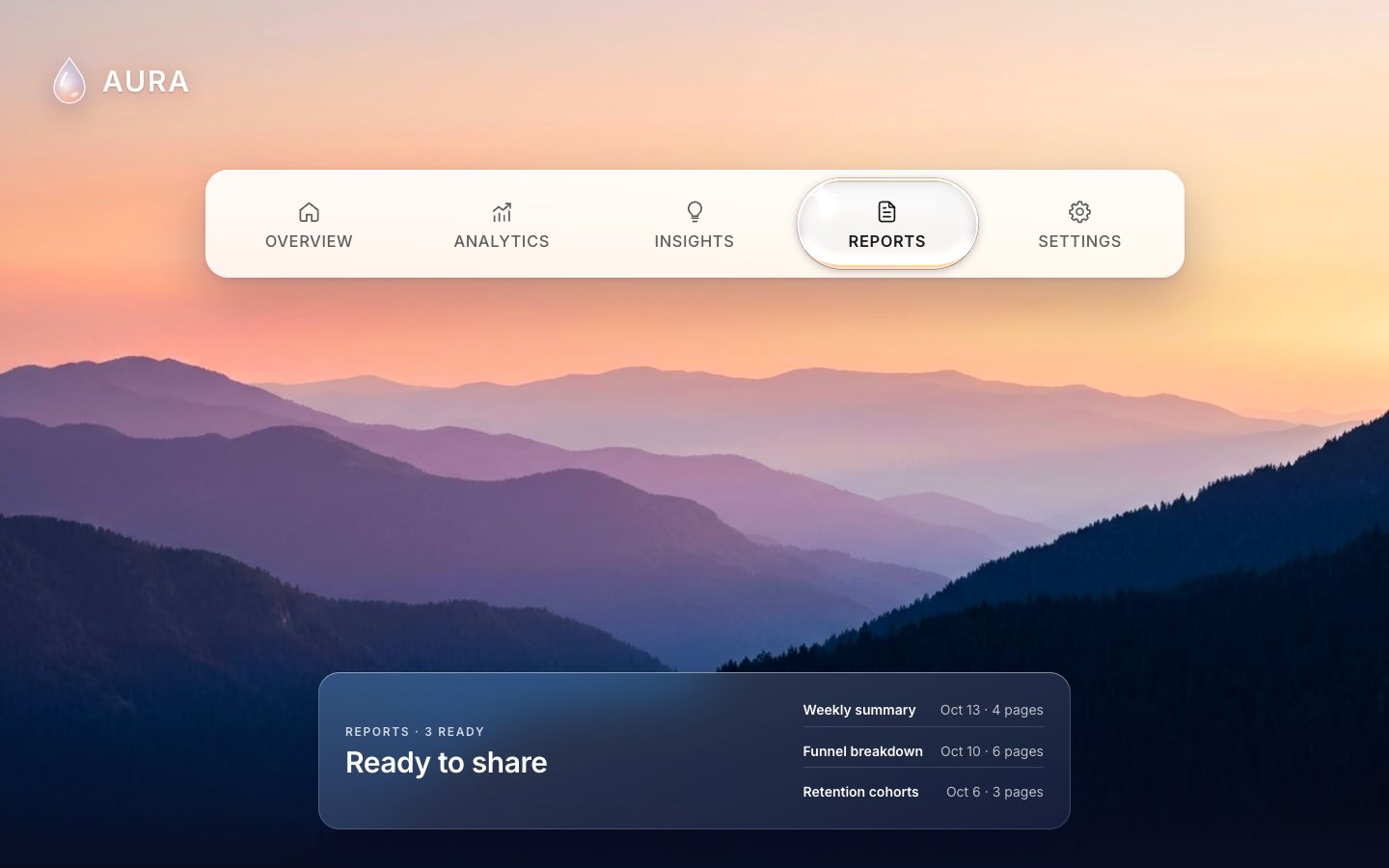
4 · The pill flows
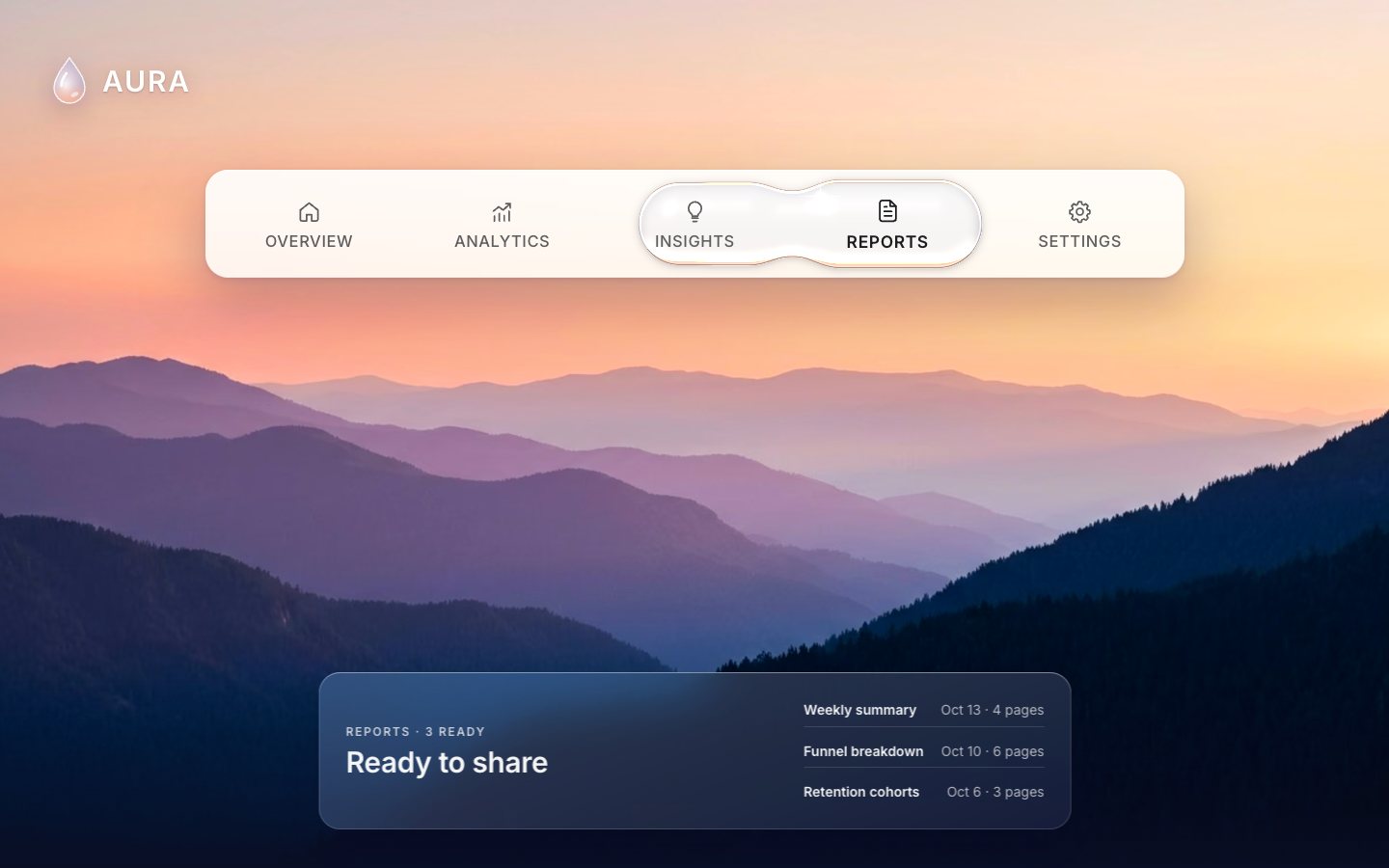
Now the water. The head and the tail ride two springs. The head is quick and slightly underdamped, so it runs ahead with a hair of overshoot. The tail is slower and follows the head, like the back of a wave. While the head moves fast, the pill's own width and height get a soft wobble of their own.
// the leading edge runs ahead (a hair of overshoot), the trailing edge follows like the back of a wave
const kA = this.dragging ? 900 : 230, cA = 2 * Math.sqrt(kA) * (this.dragging ? 0.95 : 0.8);
const kB = 95, cB = 2 * Math.sqrt(kB) * 0.96;
const kD = 320, cD = 2 * Math.sqrt(kD) * 0.32;   // soft wobble of the pill's own width/height
for (let i = 0; i < sub; i++) {
  A.vx += (kA * (tx - A.x) - cA * A.vx) * h; A.vy += (kA * (T.y - A.y) - cA * A.vy) * h;
  A.x += A.vx * h; A.y += A.vy * h;
  B.vx += (kB * (A.x - B.x) - cB * B.vx) * h; B.vy += (kB * (A.y - B.y) - cB * B.vy) * h;
  B.x += B.vx * h; B.y += B.vy * h;
  const sn = clamp(Math.abs(A.vx) / 1400, 0, 1);
  const wT = T.hw * (1 + 0.05 * sn), hT = T.hh * (1 - 0.1 * sn);
  D.vw += (kD * (wT - D.w) - cD * D.vw) * h; D.w += D.vw * h;
  D.vh += (kD * (hT - D.h) - cD * D.vh) * h; D.h += D.vh * h;
}
The gap between head and tail stretches the glass along the bar, and the waist thins a little while it flows. The height is clamped to the row, so nothing ever rises above the bar or hangs below it.
_shape() {
  const A = this.A, B = this.B, D = this.dim, T = this.T;
  const hh = Math.min(D.h, T.hh * 1.015);                      // never taller than the row
  const gap = Math.abs(A.x - B.x);
  const g01 = clamp(gap / (D.w * 2.2), 0, 1);
  const bw = D.w * (1 - 0.22 * g01), bh = hh * (1 - 0.08 * g01);
  const waist = hh * (0.92 - 0.2 * g01);                          // thins slightly in the middle while it flows
  return { hh, bw, bh, waist, g01, gap };
}
You can grab the pill and drag it. After 7 px of sideways movement the head follows the pointer, with a rubber band past the ends. Letting go picks the nearest tab. Mouse, touch and pen all take the same path.
root.addEventListener('pointerdown', (e) => {
  if (e.button !== 0 && e.pointerType === 'mouse') return;
  const b = e.target.closest('[role=tab], [role=radio]'); if (!b) return;
  this._p = { id: e.pointerId, x0: e.clientX, y0: e.clientY, drag: false, type: e.pointerType };
});
root.addEventListener('pointermove', (e) => {
  const p = this._p;
  if (p && p.id === e.pointerId) {
    if (!p.drag && Math.abs(e.clientX - p.x0) > 7 && Math.abs(e.clientX - p.x0) > Math.abs(e.clientY - p.y0)) {
      p.drag = true; try { root.setPointerCapture(e.pointerId); } catch (_) {}
      root.classList.add('is-dragging'); this.drop.setDrag(true); this.setLean(0);
    }
    if (p.drag) { this._dragTo(e.clientX); e.preventDefault(); }
    return;
  }
  if (e.pointerType === 'mouse') this._hover(e.clientX, e.target.closest('[role=tab], [role=radio]'));
});
const end = (e) => {
  const p = this._p; if (!p || p.id !== e.pointerId) return;
  this._p = null;
  if (!p.drag) return;
  root.classList.remove('is-dragging'); this.drop.setDrag(false);
  this._suppressClick = e.type === 'pointerup';
  setTimeout(() => { this._suppressClick = false; }, 0);
  this.select(this._nearest(e.clientX), { source: 'drag' });
  this._lensHot = -1;
};
root.addEventListener('pointerup', end); root.addEventListener('pointercancel', end);_dragTo(clientX) {
const rr = this.root.getBoundingClientRect();
const first = this._geo[0], last = this._geo[this._geo.length - 1];
let x = clientX - rr.left;
// rubber band past the ends
if (x < first.cx) x = first.cx - Math.sqrt(first.cx - x) * 3; if (x > last.cx) x = last.cx + Math.sqrt(x - last.cx) * 3;
const g = this._geo[this._nearest(clientX)];
const [pl, pt] = this.cfg.pad;
this.drop.moveTo(x + pl, g.cy + pt, g.hw, g.hh, g.rr);
this._fbMove(x, g);
}The labels swell a little as the glass passes over them. They are still DOM text, so they stay sharp.
_lens(force) {
  const mag = this._mag ?? this.cfg.mag; if (!mag || !this._geo) return;
  const s = this.drop.state();
  const [pl] = this.cfg.pad;
  const x = this.failed ? this._geo[this.index].cx : s.x - pl;
  const hw = this.failed ? this._geo[this.index].hw : s.hw;
  this.items.forEach((b, j) => {
    const g = this._geo[j];
    const cov = clamp(1 - Math.abs(g.cx - x) / (hw * 1.15), 0, 1);
    const k = 1 + mag * cov * cov * (3 - 2 * cov);
    if (force || Math.abs(k - (g.k || 1)) > 0.0015) { g.k = k; g.lbl.style.transform = k > 1.0005 ? `scale(${k.toFixed(4)})` : ''; }
  });
}
5 · The finish
With reduced motion (the OS setting, or the Liquid motion switch in Settings) the pill moves without travelling. The choice is saved under a versioned key.
function applyMotion() {
  const st = stored();
  reduced = st ? st === 'off' : rmMQ.matches;
  root.classList.toggle('rm', reduced);
  motionSw.setAttribute('aria-checked', reduced ? 'false' : 'true');
  controls.forEach((c) => c.setReduced(reduced));
  if (reduced) setDemo(false);
}
The two-option tile plays a small demo loop. It has a pause button, and it stops for good once you touch it.
function demoTick() {
  clearTimeout(demoTimer);
  demoTimer = setTimeout(() => {
    if (demoOn && duoVisible && !document.hidden && !reduced) duo.select(1 - duo.index, { source: 'demo' });
    demoTick();
  }, 2600);
}
Idle glass only drifts its light, and only while it is on screen and the tab is visible.
// visibility: idle light only while on screen and the tab is shown
this._io = new IntersectionObserver((es) => { for (const en of es) this.drop.setVisible(en.isIntersecting); }, { rootMargin: '80px' });
this._io.observe(root);
document.addEventListener('visibilitychange', () => { this.drop.hidden = document.hidden; if (!document.hidden) this.drop.setVisible(this.drop.visible); });wants() {
if (!this.gl || this.hidden || this.frozen || this.reduced) return false;
return (this.idle && this.visible) || this._busy();
}
Make it yours
- Your tabs are the buttons in the HTML: an id,
data-id, an icon and a label, and a matching panel. - Your backdrop is whatever
paintWorldpaints. Paint your own photo or gradient there and the glass refracts it. - The feel is in
step()indrop.js:kAfor the head,kBfor the tail andkDfor the wobble. A softerkBmeans a longer wave. - Accessibility is already there: real tablist and radiogroup roles, roving tabindex, arrow keys, a visible
focus ring,
prefers-reduced-motionhonoured, and a frosted CSS pill without WebGL.
The code is on GitHub at UlviShabanbayli/domvybe-water-tabs, under the MIT licence: use it in your own projects, commercial ones included. AURA is made up. The glass and the page are made in code; the sunset wallpaper photo is AI-generated (Google Gemini).
Make the indicator two shapes on two springs, a quick head and a slower tail. A single shape slides; two shapes that blend stretch, thin and catch up, and that reads as water.