This is the whole build of the origami FAQ, in the order it was written: the help centre of a made-up handmade-paper mill in Kyoto, Tsuru Paper Mill. Each question is a cotton card with a folded corner; the open one turns navy dyed paper, and its answer unfolds under it as one long concertina sheet, crease by crease, with the text riding every panel. Each stage below is the page as it stood at that step. It shows a still, and Run it here starts the live page in its place. The code under each heading is only what that stage adds. The finished source is at the end, and on GitHub under the MIT licence.
There is no framework and no build step: one HTML page, one style sheet and three ES modules. Every word is real DOM; the paper is one WebGL2 canvas behind the list, the crane another.
1 · The accordion, in paper made of CSS
Start with what a screen reader and a keyboard need: the WAI-ARIA accordion. Each question is a real button inside a heading; it says whether its answer is open and which region it controls, and the region is labelled by the button.
<div class="item" data-i="1">
  <h3 class="qh"><button class="q" id="q2" type="button" aria-expanded="false" aria-controls="a2"><span class="n" aria-hidden="true">02</span><span class="t">Is the paper really handmade?</span><span class="plus" aria-hidden="true"><svg viewBox="0 0 24 24"><path d="M12 6v12M6 12h12"/></svg></span></button></h3>
  <div class="ans" id="a2" role="region" aria-labelledby="q2" hidden>
    <div class="ans-in">
      <p>Yes. Every sheet is pulled by hand from cotton rag and recycled linen in our mill in Kyoto, then pressed and dried for three days. No two sheets have the same deckle edge.</p>
      <p>Hold a sheet to the window and you will see it: a crane, pressed into the fibres while the paper was still wet. It is how we sign our work.</p>
      <div class="help" data-i="1"><a class="mill" href="#mill">Visit the mill <svg viewBox="0 0 20 12" aria-hidden="true"><path d="M1 6h17M13 1l5 5-5 5"/></svg></a><span class="hq">Helpful?</span><button type="button" data-v="yes" aria-pressed="false">Yes</button><button type="button" data-v="no" aria-pressed="false">No</button><span class="thanks" role="status"></span></div>
    </div>
  </div>
</div>
The paper is CSS for now: fibre and grain from two SVG noise filters, a folded corner from a diagonal gradient, the open card in navy, and the answer sheet with a crease line every two lines of text.
.no-gl .q { background: var(--fiber), var(--grain), linear-gradient(180deg, #fffdf8, #f6f0e5); box-shadow: 0 1px 0 rgba(255, 255, 255, .8) inset, 0 1px 1px rgba(60, 45, 25, .12), 0 8px 16px -8px rgba(60, 45, 25, .35); }
.no-gl .q::after { content: ''; position: absolute; right: 0; top: 0; width: 22px; height: 22px; background: linear-gradient(225deg, var(--wall) 50%, #efe7d8 50%, #e2d8c6 100%); box-shadow: -2px 2px 3px rgba(60, 45, 25, .12); }
.no-gl .item.open .q { background: var(--fiber), linear-gradient(180deg, #2d3a63, #1f2a4b); box-shadow: 0 1px 0 rgba(255, 255, 255, .15) inset, 0 10px 24px -8px rgba(20, 25, 50, .55); }
.no-gl .ans { background: repeating-linear-gradient(180deg, rgba(255, 255, 255, .5) 0 1px, rgba(255, 255, 255, 0) 1px calc(var(--hp) - 1px), rgba(110, 90, 60, .14) calc(var(--hp) - 1px) var(--hp)), var(--fiber), var(--grain), #f8f2e7; box-shadow: 0 10px 20px -12px rgba(60, 45, 25, .45); }
.no-gl .ans.moving { opacity: 1; }
One question is open at a time. Opening one folds the others away; the state lives on the button.
function setOpen(i, open, { animate = true, focus = false } = {}) {
  const it = items[i]; if (!it) return;
  if (open) items.forEach((o) => { if (o !== it && o.target > 0.5) setOpen(o.i, false, { animate }); });
  it.target = open ? 1 : 0;
  it.node.classList.toggle('open', open);
  it.btn.setAttribute('aria-expanded', String(open));
  if (open) it.ans.hidden = false;           // the region exists while it unfolds (inert visual handled by .moving)
  if (!animate || RM) { it.p = it.target; it.v = 0; onSettled(it); }
  else if (open && it.p === 0) it.v = 0.15;
  if (animate && !RM) setFaqHeight(Math.max(faqH, items.reduce((t, o) => t + o.Hc + G.gap, 0) - G.gap + maxFolds()));
  else setFaqHeight(finalHeight());
  if (focus) it.btn.focus();
  kick();
}el.faq.addEventListener('keydown', (e) => {
const i = items.findIndex((it) => it.btn === document.activeElement); if (i < 0) return;
let j = -1;
if (e.key === 'ArrowDown') j = (i + 1) % items.length;
else if (e.key === 'ArrowUp') j = (i - 1 + items.length) % items.length;
else if (e.key === 'Home') j = 0;
else if (e.key === 'End') j = items.length - 1;
if (j >= 0) { e.preventDefault(); items[j].btn.focus(); }
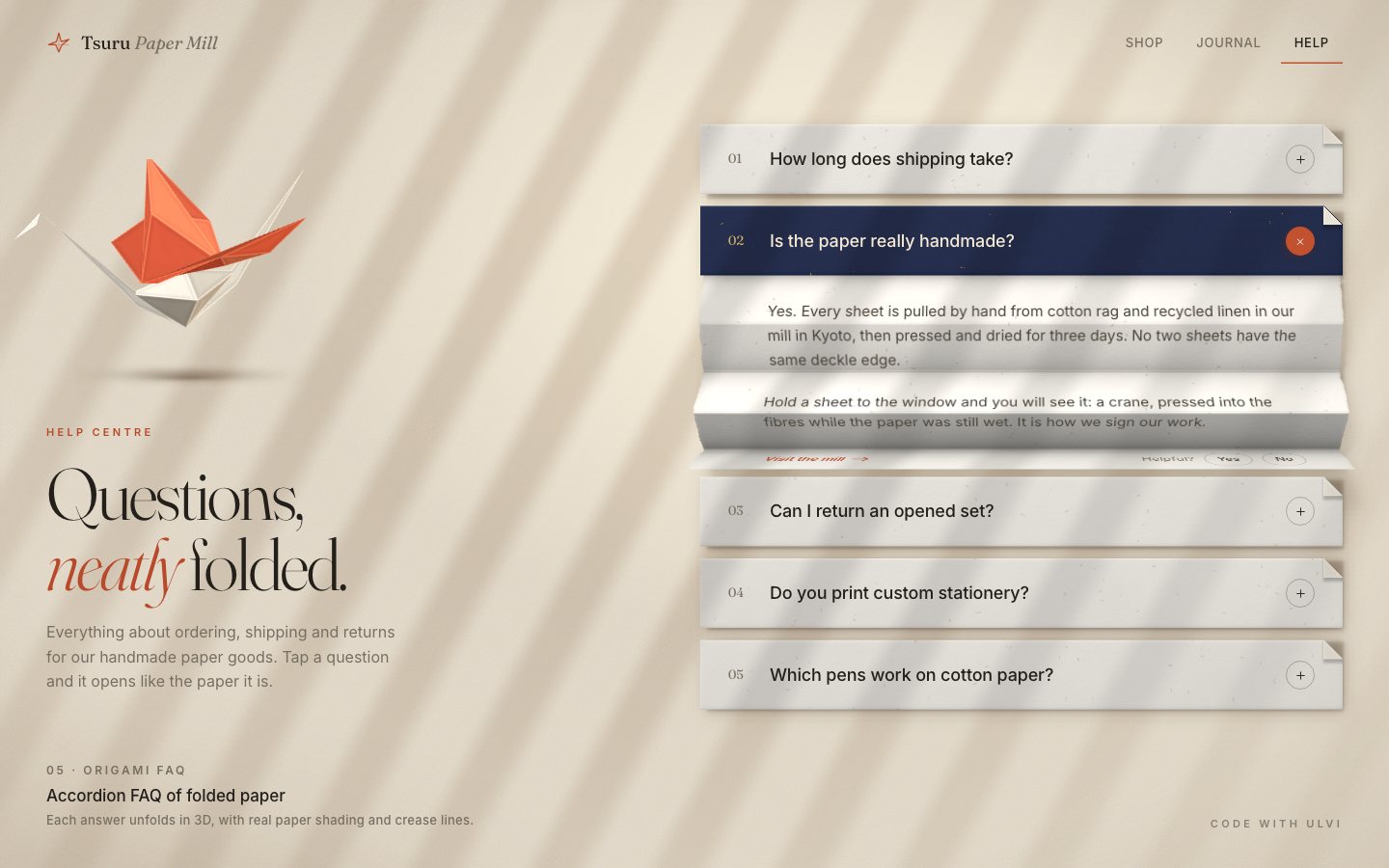
});The motion is already the real thing, even before there is any 3D. An answer is a concertina of panels, each two lines of text tall, so the creases always fall between lines. The panels open in pairs, a little after each other, and at rest the sheet keeps a 14° fold: it is paper, not a ribbon. Each panel's length is chosen so that at rest it projects to exactly one panel height, which is what lets the flat text sit on it later.
const REST = 0.245;                    // the opened sheet keeps its folds (14°): a real concertina, never ironed flat
const PL = () => G.Hp / Math.cos(REST); // panel length: at rest each panel projects to exactly Hp, so the flat text never drifts off its panel
function pairAngles(it) {
  const M = Math.ceil(it.N / 2), sig = M > 1 ? 0.45 : 0, out = [];
  for (let j = 0; j < M; j++) {
    const s0 = M > 1 ? sig * j / (M - 1) : 0;
    const q = Math.max(0, Math.min(1, (it.p - s0) / (1 - sig)));
    const e = q * q * (3 - 2 * q) * 0.35 + q * 0.65;
    let b = HALF * (1 - e) + REST * e;
    if (it.p > 1) b -= (it.p - 1) * 0.9;            // a soft overshoot: the paper springs a touch past flat
    out.push(Math.max(-0.08, b));
  }
  return out;
}
function fold(it, hingeY) {
  const panels = [];
  if (it.p <= 0.0005 && it.v === 0) { it.foldH = 0; it.panels = panels; return; }
  const ang = pairAngles(it);
  let y = hingeY, z = 0, fh = 0;
  for (let k = 0; k < it.N; k++) {
    const b = ang[k >> 1], sg = k % 2 ? -1 : 1;
    const L = PL(), dy = Math.cos(b) * L, dz = sg * Math.sin(b) * L;
    panels.push({ k, b, sg, y0: y, z0: z, y1: y + dy, z1: z + dz });
    y += dy; z += dz; fh += dy;
  }
  it.foldH = fh; it.panels = panels;
}
A slightly under-damped spring drives it, so the paper settles with a soft overshoot. The cards below glide down by exactly what the sheet has opened.
function spring(o, key, vkey, target, k, d, dt) {
  const x = o[key], v = o[vkey] || 0;
  const a = (target - x) * k - v * d;
  const nv = v + a * dt, nx = x + nv * dt;
  o[vkey] = nv; o[key] = nx;
  if (Math.abs(target - nx) < 0.0006 && Math.abs(nv) < 0.004) { o[key] = target; o[vkey] = 0; return false; }
  return true;
}
Without 3D the flat sheet is simply revealed from the top while it opens.
function syncText(it, moving) {
  // the flat sheet is revealed from the top while it opens (stage 2 folds it in 3D, the text riding every panel)
  it.ans.classList.toggle('moving', moving);
  if (moving) it.ans.style.clipPath = `inset(0 0 ${Math.max(0, it.N * G.Hp - it.foldH)}px 0)`;
  else if (it.ans.style.clipPath) it.ans.style.clipPath = '';
}
Each answer ends with "Helpful?", and the thank-you is a status line, so it is announced.
function applyHelp(it) {
  const v = helpful[it.i]; const h = it.help;
  h.querySelectorAll('button').forEach((b) => b.setAttribute('aria-pressed', String(b.dataset.v === v)));
  h.classList.toggle('done', !!v);
  $('.thanks', h).textContent = v ? (v === 'yes' ? 'Thanks — glad it helped.' : 'Thanks — we will make this answer better.') : '';
}
On arrival the second question opens by itself, a quarter of a second in, so the page shows what it does.
// the showcase: the card turns navy and its answer unfolds, crease by crease, in the first second
setTimeout(() => setOpen(open, true), 260);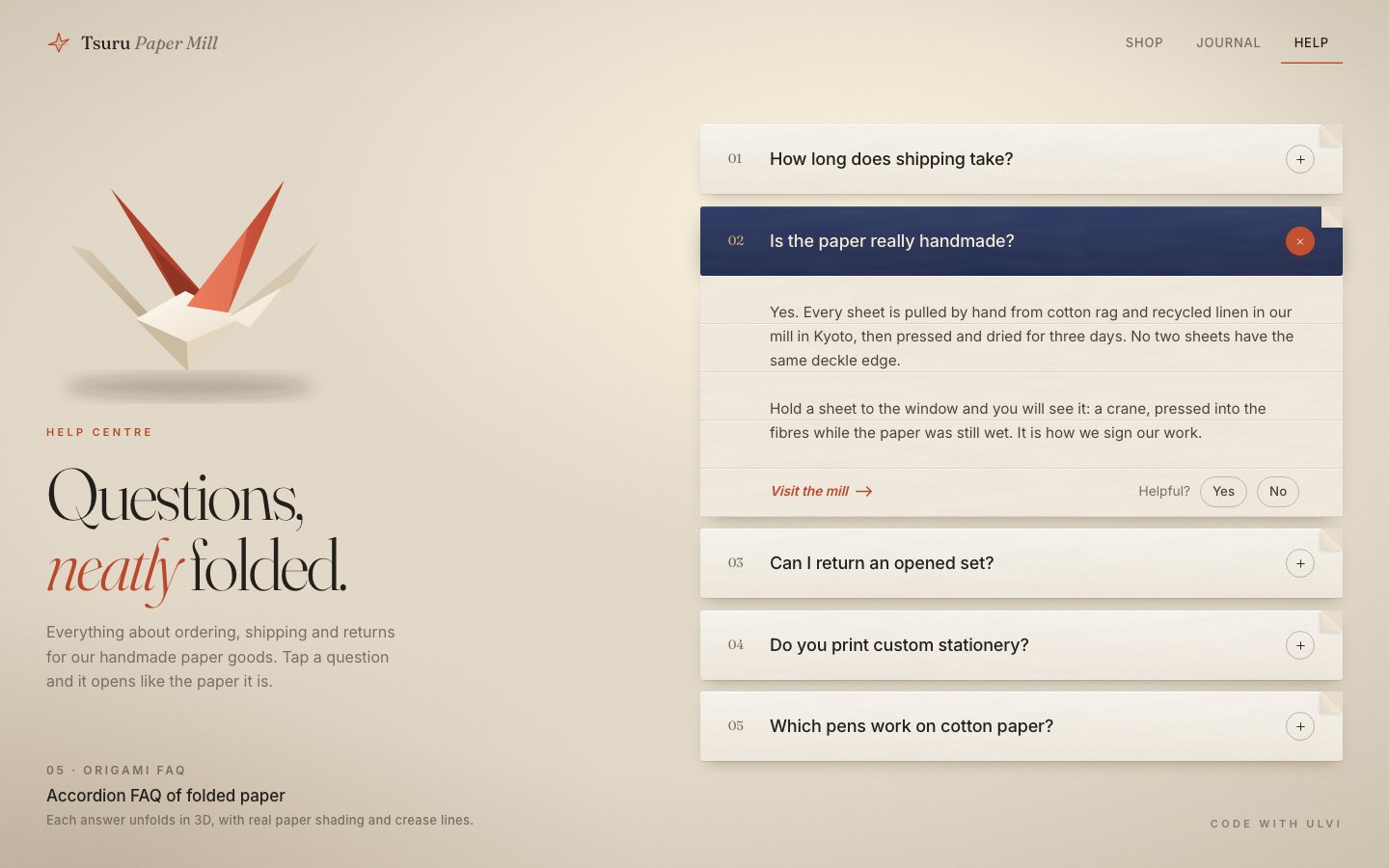
2 · The paper
One transparent canvas goes behind the list, a little larger than it so the shadows fit.
<canvas id="gl" aria-hidden="true"></canvas>The paper starts as a texture baked once: the cloudy formation of a hand-pulled sheet, fine pale cotton strands, a few longer ones and sparse dark linen flecks.
float form = fbm(uv + 1.7, 4.)*.7 + fbm(uv + 4.1, 16.)*.3;          // cloudy formation of a hand-pulled sheet
float light = fibres(uv, 120., 3., 1.0, .09);                        // fine pale cotton strands
float longf = fibres(uv, 44., 11., 1.3, .045);                       // a few longer, fainter ones
float dark = fibres(uv, 70., 9., .3, .16)*step(.94, hash(floor(uv*70.) + 2.));   // sparse linen flecks
A card is a flat quad whose fragment shader folds the corner down: everything past a diagonal is discarded and drawn again as the back of the paper lying on the card, with its own small shadow.
// dog-ear: the corner is folded down along (W - x) + y = d
float dg = uDog;
float diag = (W - sp.x) + sp.y;                       // < dg: the corner that is folded away
if (diag < dg - .7) discard;
The answer is a strip of panels, each a quad between two crease lines. A ridge gets a bright hairline of crushed fibre, a valley a dark one with a little occlusion, and they never disappear completely: paper remembers its folds.
// crease lines: crushed fibre on a ridge (bright hairline), a dark hairline + occlusion in a valley
float dT = v, dB = Hp - v;
float bendT = abs(uCrease.z), bendB = abs(uCrease.w);
float ridgeT = step(1.5, uCrease.x), ridgeB = step(1.5, uCrease.y)*(1. - uLast);
float valT = step(.5, uCrease.x)*(1. - ridgeT), valB = step(.5, uCrease.y)*(1. - step(1.5, uCrease.y))*(1. - uLast);
float lineT = exp(-dT/.8), lineB = exp(-dB/.8);
float memory = 1.;                                           // creases never fully disappear
crease += (ridgeT*lineT + ridgeB*lineB)*(memory*.9 + .9*max(bendT, bendB));
crease -= (valT*lineT + valB*lineB)*(memory*.9 + 1.1*max(bendT, bendB));
ao += valT*(sin(bendT))*exp(-dT/(Hp*.28))*.42 + valB*sin(bendB)*exp(-dB/(Hp*.28))*.42;
The second answer has the mill's mark in it. Where a panel faces away from the window, light comes through the sheet, and through the crane watermark more strongly, because the paper is thinner there.
float craneSd(vec2 p){
  float d = sdTri(p, vec2(8., 52.), vec2(50., 44.), vec2(44., 62.));      // body + tail
  d = min(d, sdTri(p, vec2(44., 62.), vec2(92., 50.), vec2(58., 46.)));
  d = min(d, sdTri(p, vec2(30., 50.), vec2(64., 6.), vec2(56., 50.)));     // raised wing
  d = min(d, sdTri(p, vec2(46., 50.), vec2(30., 26.), vec2(56., 48.)));
  d = min(d, sdTri(p, vec2(86., 52.), vec2(96., 22.), vec2(90., 52.)));    // neck
  d = min(d, sdTri(p, vec2(94., 22.), vec2(100., 26.), vec2(95., 27.)));   // head
  d = min(d, sdTri(p, vec2(10., 54.), vec2(2., 30.), vec2(14., 52.)));     // tail point
  return d;
}// translucency: light through the sheet where it faces away from the window, brighter in the thin watermark
float wm = 0.;
if (uMark > .5){
vec2 mp = (sp - uMarkPos)/1.15;
float sd = craneSd(mp);
wm = (1. - smoothstep(-.8, 1.4, sd))*(.75 + .25*fb.r);
}
float through = clamp(-ndl, 0., 1.)*g;
col += vec3(1., .93, .78)*(through*(.10 + .30*wm) + feather*.03);
col += vec3(.020, .018, .012)*wm - vec3(.010, .012, .016)*wm*(1. - through);The text has to ride those panels and stay sharp, so it stays DOM. Each panel gets an aria-hidden,
inert copy of the answer with every button, link and paragraph turned into a plain element, shifted so the panel shows
its own two lines.
function cloneHTML(it) {
  const t = document.createElement('div'); t.innerHTML = it.ansIn.innerHTML;
  t.querySelectorAll('button, a, p').forEach((n) => {
    const r = document.createElement(n.tagName === 'P' ? 'div' : 'span');
    r.className = (n.className ? n.className + ' ' : '') + (n.tagName === 'P' ? 'p' : n.tagName === 'A' ? 'a' : 'btn');
    if (n.getAttribute('aria-pressed')) r.dataset.pressed = n.getAttribute('aria-pressed');
    r.innerHTML = n.innerHTML; n.replaceWith(r);
  });
  t.querySelectorAll('[id],[role],[tabindex]').forEach((n) => { n.removeAttribute('id'); n.removeAttribute('role'); n.removeAttribute('tabindex'); });
  return t.innerHTML;
}
The GL uses the CSS projection, so a panel's four projected corners give a CSS matrix3d that puts the
slice exactly on the mesh: a homography from a rectangle to a quad.
function homography(W, H, q) {
  const [x0, y0] = q[0], [x1, y1] = q[1], [x2, y2] = q[2], [x3, y3] = q[3];
  const dx1 = x1 - x2, dx2 = x3 - x2, dx3 = x0 - x1 + x2 - x3, dy1 = y1 - y2, dy2 = y3 - y2, dy3 = y0 - y1 + y2 - y3;
  let g = 0, h = 0;
  const den = dx1 * dy2 - dx2 * dy1;
  if (Math.abs(dx3) > 1e-9 || Math.abs(dy3) > 1e-9) { g = (dx3 * dy2 - dx2 * dy3) / den; h = (dx1 * dy3 - dx3 * dy1) / den; }
  const a = x1 - x0 + g * x1, b = x3 - x0 + h * x3, c = x0, d = y1 - y0 + g * y1, e = y3 - y0 + h * y3, f = y0;
  return `matrix3d(${a / W},${d / W},0,${g / W},${b / H},${e / H},0,${h / H},0,0,1,0,${c},${f},0,1)`;
}const O = eyeOf(it), W = G.listW;
for (const p of it.panels) {
const s = it.slices[p.k];
const q = [proj(O, 0, p.y0, p.z0), proj(O, W, p.y0, p.z0), proj(O, W, p.y1, p.z1), proj(O, 0, p.y1, p.z1)];
const alpha = panelAlpha(p.b);
// a panel turned away from the eye shows the back of the sheet (no print)
const ny = -p.sg * Math.sin(p.b), nz = Math.cos(p.b);
const vy = O[1] - (p.y0 + p.y1) / 2, vz = G.F - (p.z0 + p.z1) / 2;
const facing = ny * vy + nz * vz > 0;
if (alpha < 0.02 || !facing || q[3][1] - q[0][1] < 0.6) { if (s._v !== 0) { s._v = 0; s.style.opacity = '0'; } continue; }
s.style.transform = homography(W, G.Hp, q);
const o = alpha.toFixed(3); if (s._v !== o) { s._v = o; s.style.opacity = o; }
}While the sheet moves, the slices ride it and the real answer waits underneath; at rest the slices fade and the real, untransformed answer is what you read and select. A card lifts under the mouse and sinks when pressed.
it.btn.addEventListener('pointerenter', (e) => { if (e.pointerType === 'mouse') { it.hoverT = 1; kick(); } });The crane is its own small canvas: flat-folded facets, vermilion wings raised in a V with a valley fold each.
// wings: broad triangles raised in a V, a valley fold along each
for (const sg of [1, -1]) {
  const Wt = [.18, .78, 1.02 * sg], Wm = [-.02, .40, .52 * sg], Wf = [-.40, .26, .42 * sg], Wb = [.44, .30, .40 * sg];
  add('Rf', Wm, Wt, RED, 2 * sg); add('Rb', Wt, Wm, RED3, 2 * sg); add('Rf', 'Rb', Wm, RED2, 1 * sg); add('Rf', Wf, Wm, RED2, 1 * sg); add('Rb', Wm, Wb, RED3, 1 * sg); add(Wb, Wm, Wt, RED, 2 * sg);
It floats for a few seconds after the page loads and turns to follow the pointer, then eases still. When nothing moves, nothing is drawn. Without WebGL2 the CSS paper of stage 1 stays.
addEventListener('pointermove', (e) => {
  if (!crane || RM || e.pointerType === 'touch') return;
  const r = el.craneBox.getBoundingClientRect();
  const nx = Math.max(-1, Math.min(1, (e.clientX - (r.left + r.width / 2)) / (innerWidth * 0.6)));
  const ny = Math.max(-1, Math.min(1, (e.clientY - (r.top + r.height / 2)) / (innerHeight * 0.7)));
  C.yawT = 0.45 + nx * 0.3; C.pitchT = 0.4 + ny * 0.12;
  if (performance.now() > C.until - 6000) C.until = performance.now() + 6000;
  C.ampT = 1; kick();
}, { passive: true });const craneOn = craneFrame(now, dt);
if (active || craneOn) kick();
else { setFaqHeight(finalHeight()); }function startGL() {
try { renderer = createRenderer(el.gl); } catch (e) { console.warn('[dv70] paper', e); renderer = null; }
html.classList.toggle('no-gl', !renderer);
}
3 · The finish
The open question and the "Helpful?" answers are remembered under two versioned keys, and older keys of the
component are wiped before the first paint, where ?nogl can also ask for the CSS paper.
// storage: versioned keys only (dv70.v1.open, dv70.v1.helpful); anything older is wiped. The theme is the page's own (light).
try {
  const keep = ['dv70.v1.open', 'dv70.v1.helpful'];
  for (let i = localStorage.length - 1; i >= 0; i--) { const k = localStorage.key(i); if (k && /^dv70/.test(k) && !keep.includes(k)) localStorage.removeItem(k); }
} catch (e) {}const st = store.get(KEY_OPEN);
const open = st === null ? 1 : Math.max(-1, Math.min(items.length - 1, parseInt(st, 10)));A lost WebGL context drops to the CSS paper instead of an empty space, and a small test hook reports the state.
el.gl.addEventListener('webglcontextlost', (e) => { e.preventDefault(); renderer = null; html.classList.add('no-gl'); items.forEach((it) => syncText(it, false)); layout(); });window.__faq = {
ready,
get busy() { return !!raf; },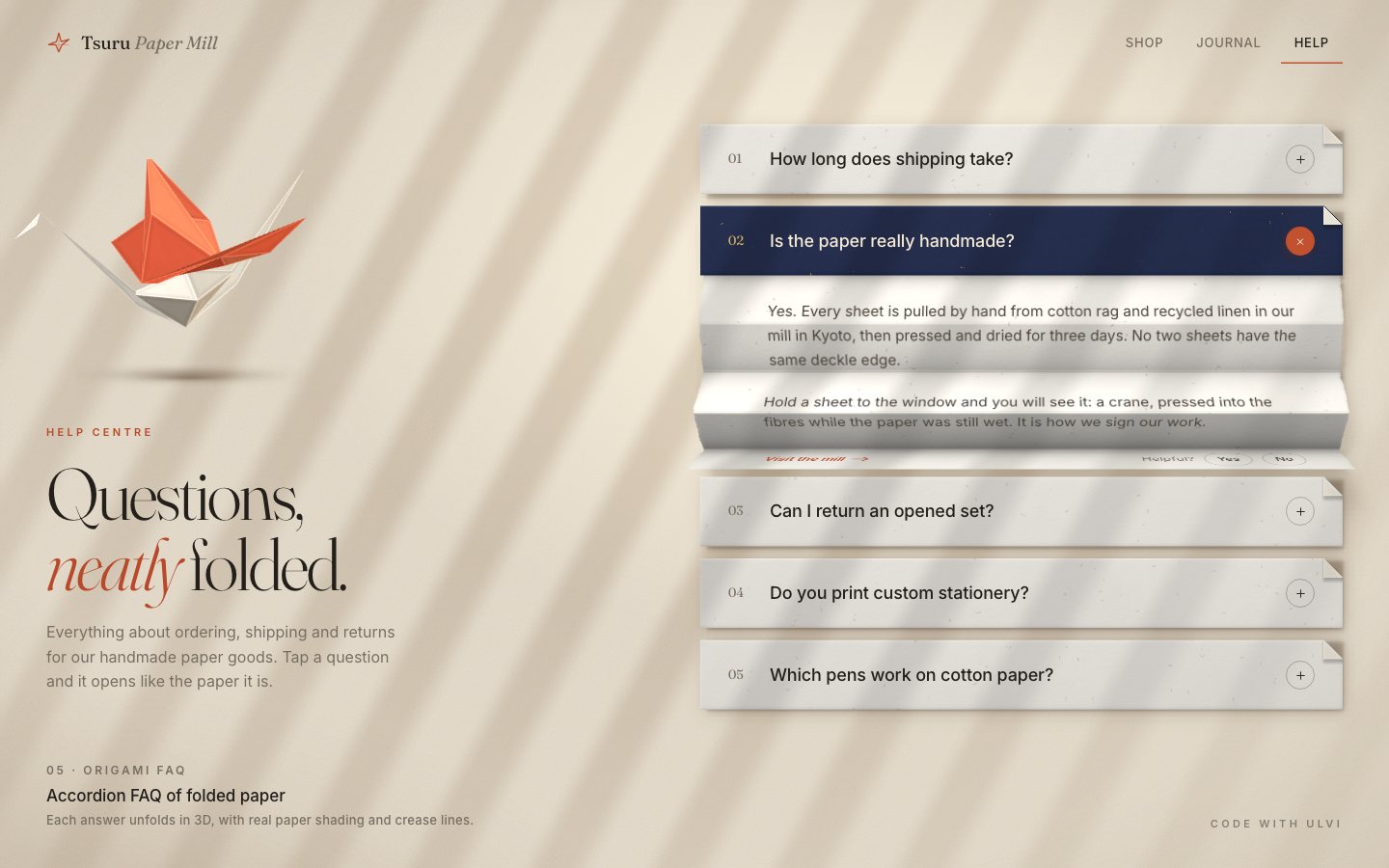
Make it yours
- Your questions are the
.itemblocks inindex.html: a button and a region each. The panel count follows the answer's height, two lines per panel. - Your fold is in
app.js:RESTis the angle the sheet keeps at rest, the spring's stiffness and damping set how it lands. - Your paper is in
paper.js: the dye colour, the fibre bake and the watermark, which is a list of triangles you can redraw as your own mark. - Accessibility is already there: buttons in headings with
aria-expandedandaria-controls, labelled regions, ↑ / ↓ / Home / End, a dashed focus ring, a status line for the feedback, 44 px targets on touch,prefers-reduced-motion(instant toggles, a still crane) and the CSS paper without WebGL2.
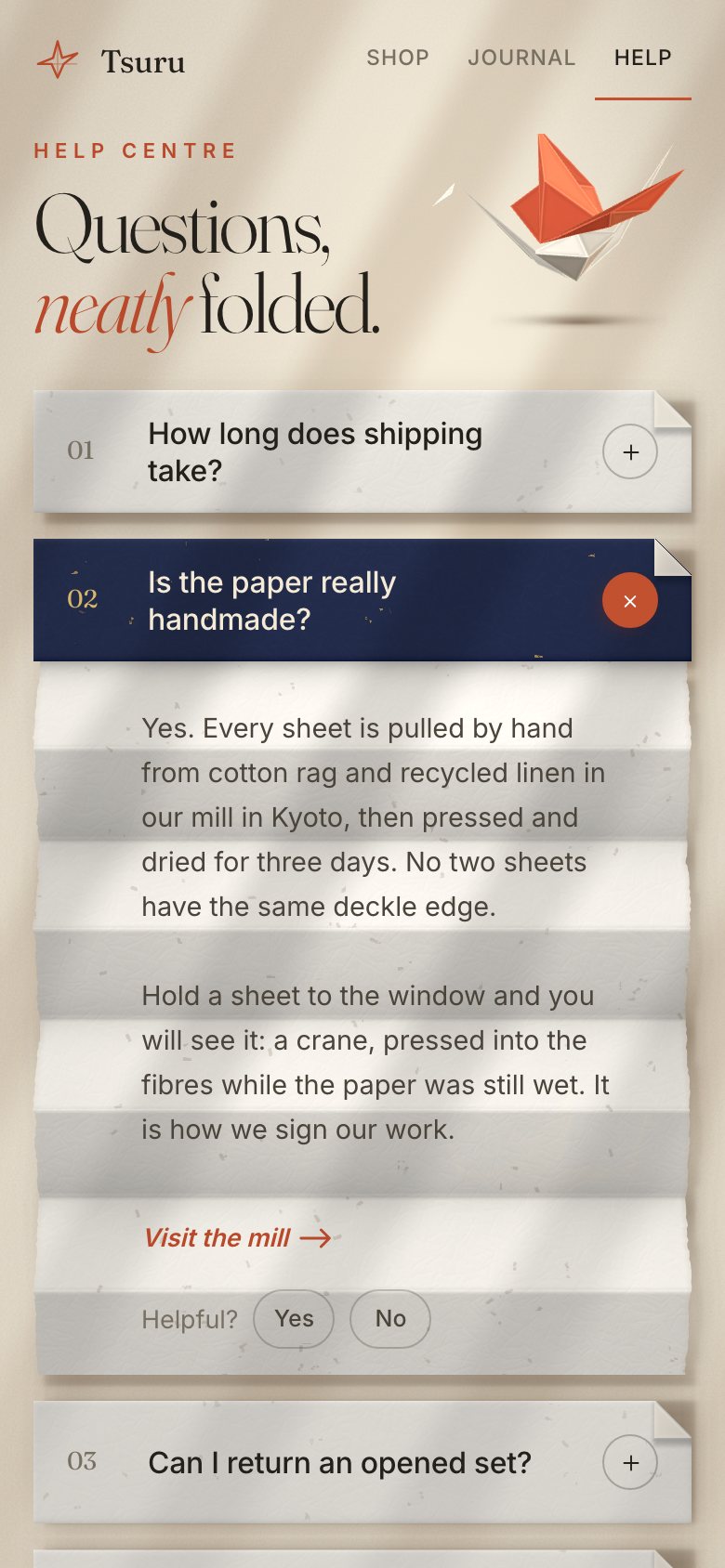
Tsuru Paper Mill is made up. Everything on the page was made in code for this project: the paper and the crane are rendered by the shaders, the fallback is CSS.
Keep the words in the DOM and let the material carry them. If the 3D uses the same projection as CSS, every panel's corners turn into one matrix3d, and the text folds with the paper while staying perfectly sharp.